
Extras
Library tabs, search, lyrics and other options.
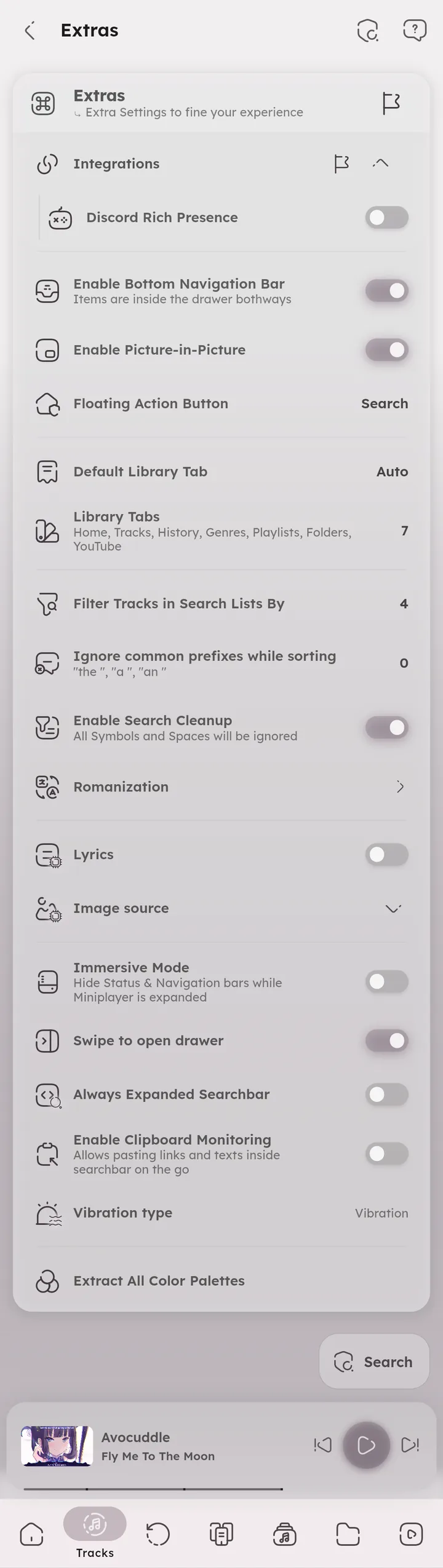
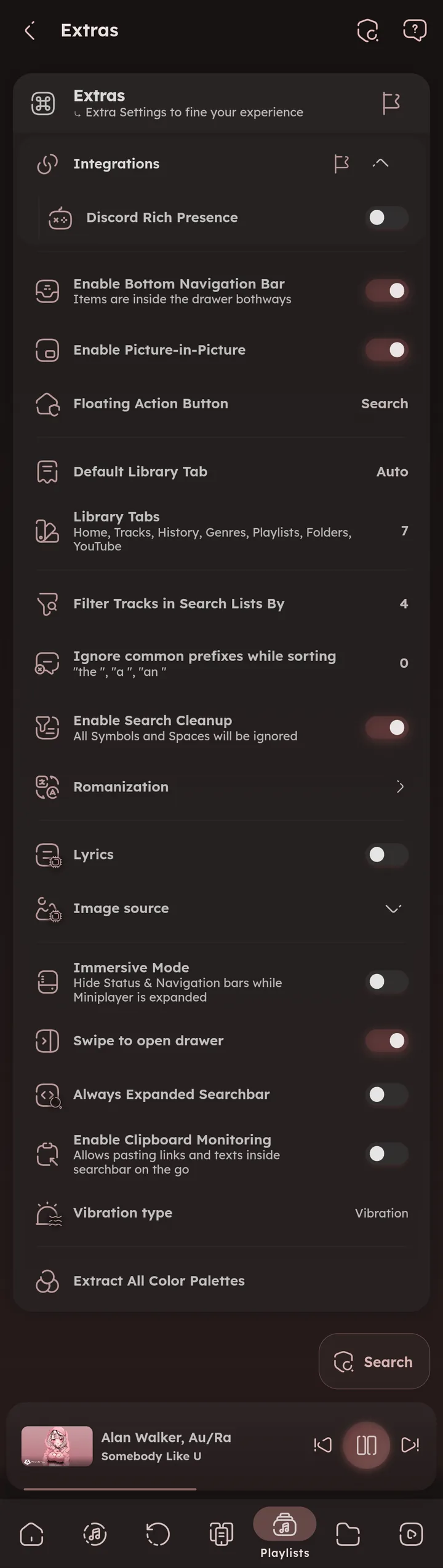


Use Collapsed Setting Tiles
Show all settings sections in a single list, instead of opening each one in its own page.
Enable Bottom Navigation Bar
Quick navigation between library tabs. The tabs stay in the drawer either way.
Enable Picture-in-Picture
💻 Android only
Keep the video playing in a small floating window when leaving the app.
Floating Action Button
Choose what the floating button does (like search, play or shuffle), or hide it.
Default Library Tab
The tab the app opens on.
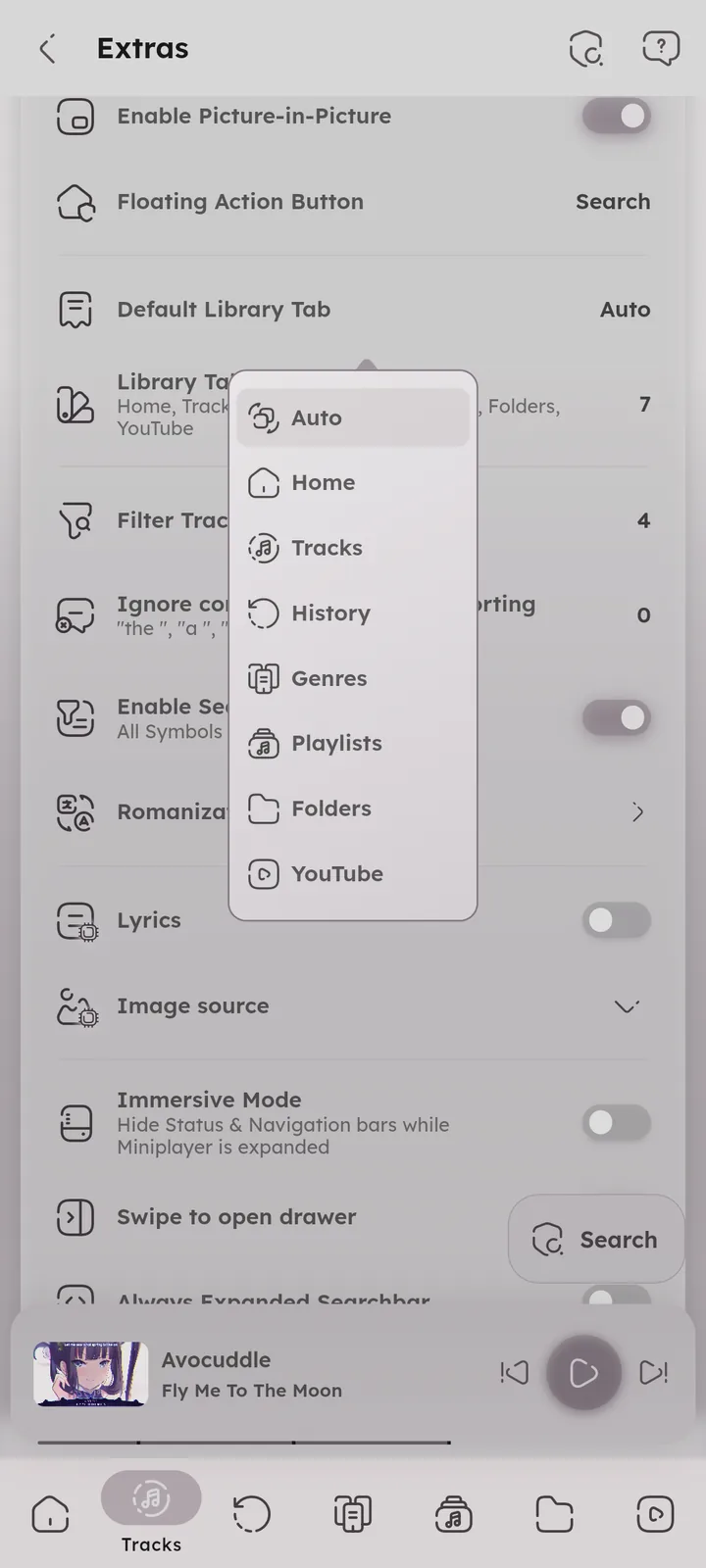
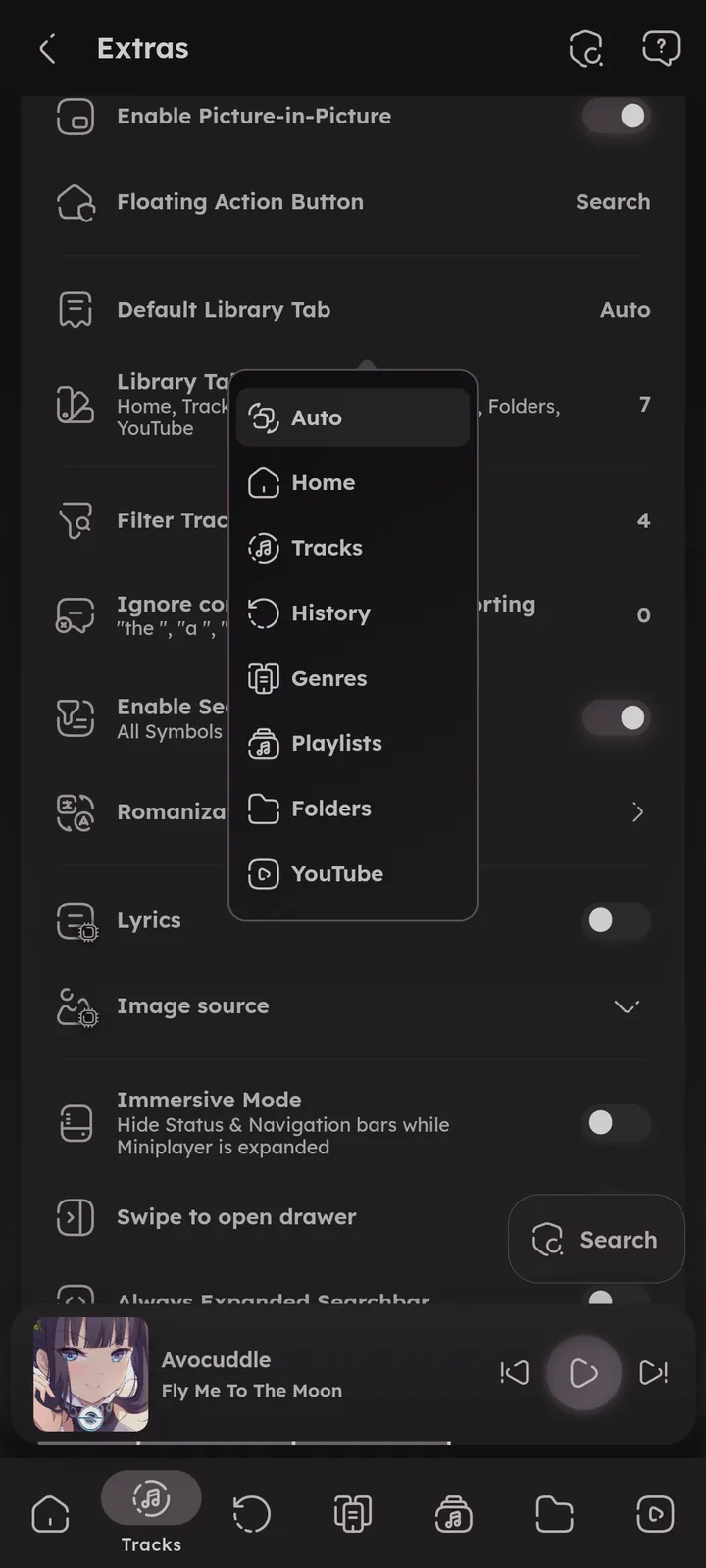
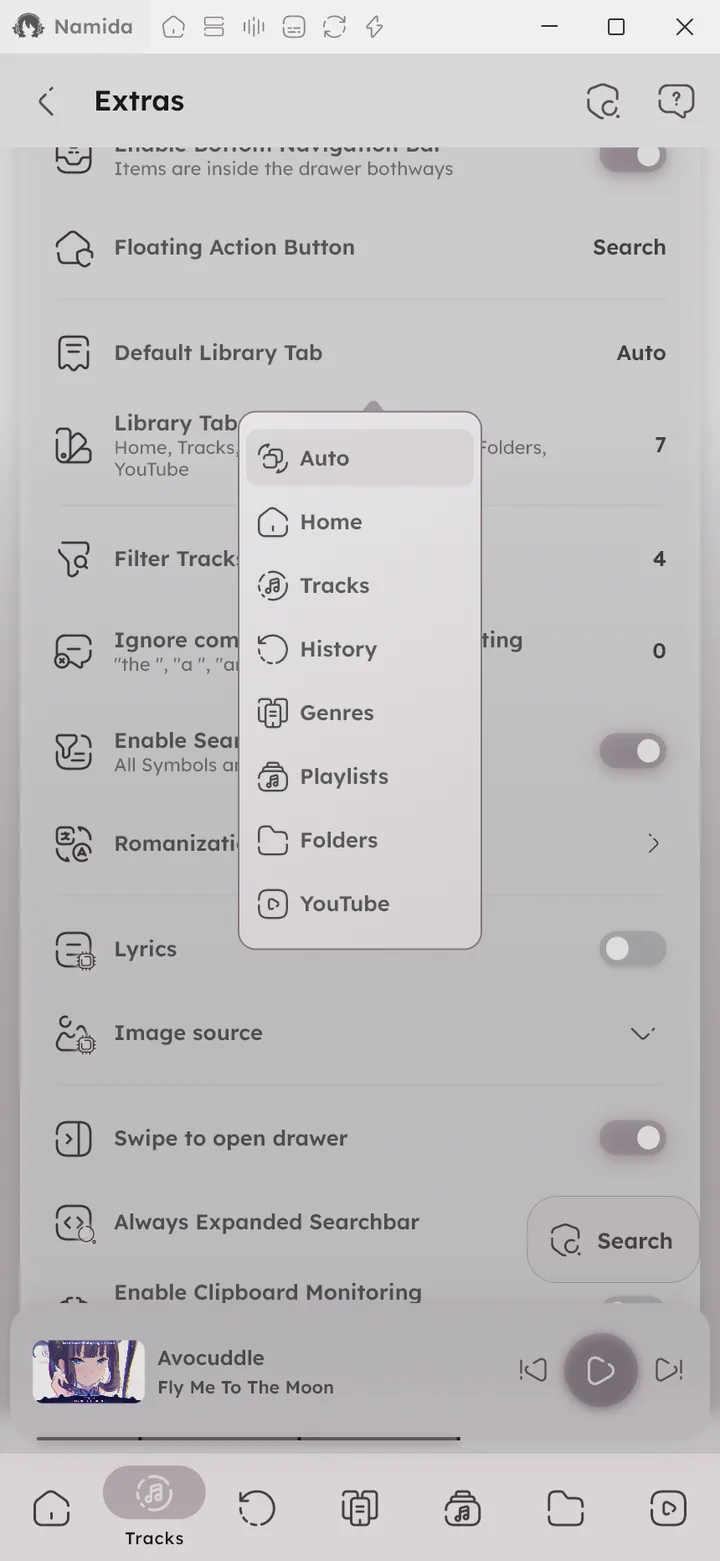
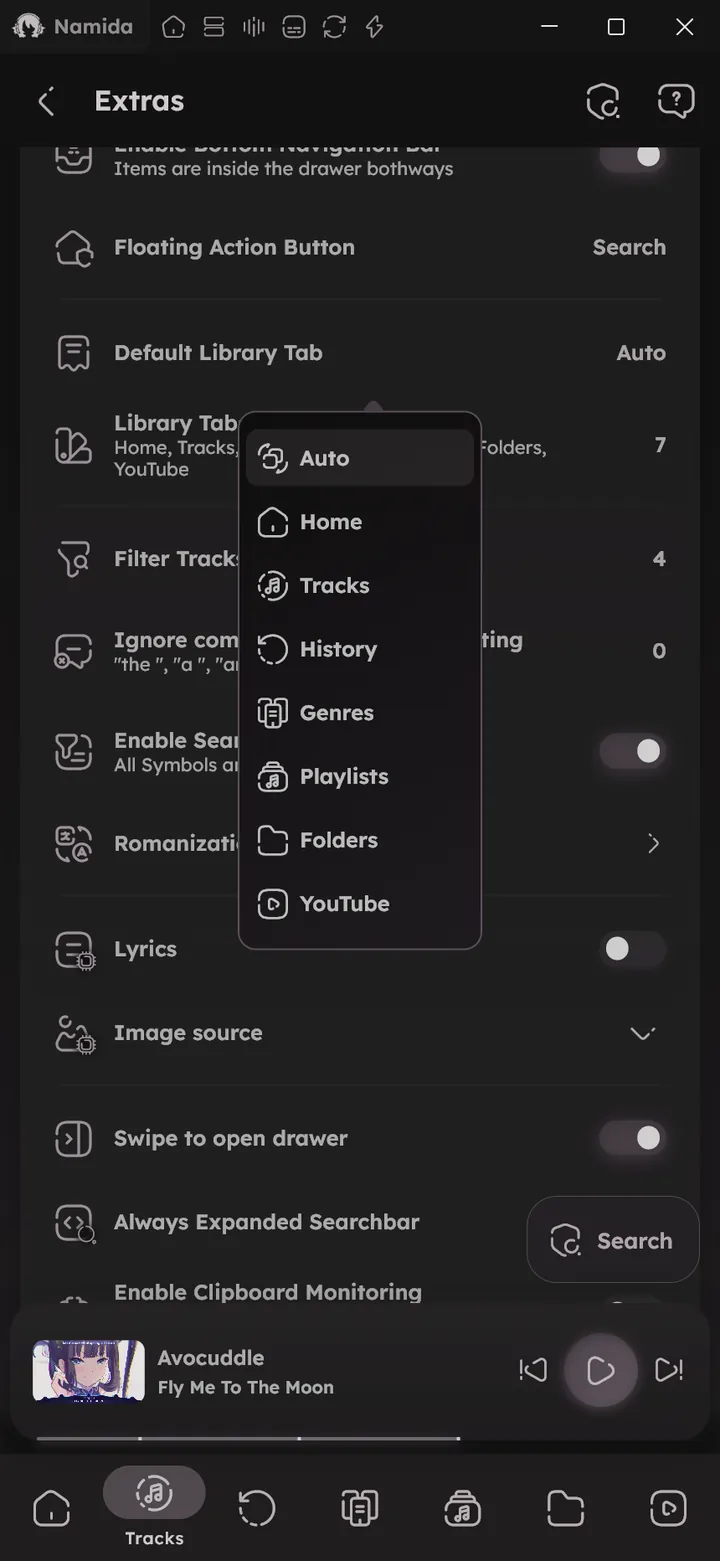
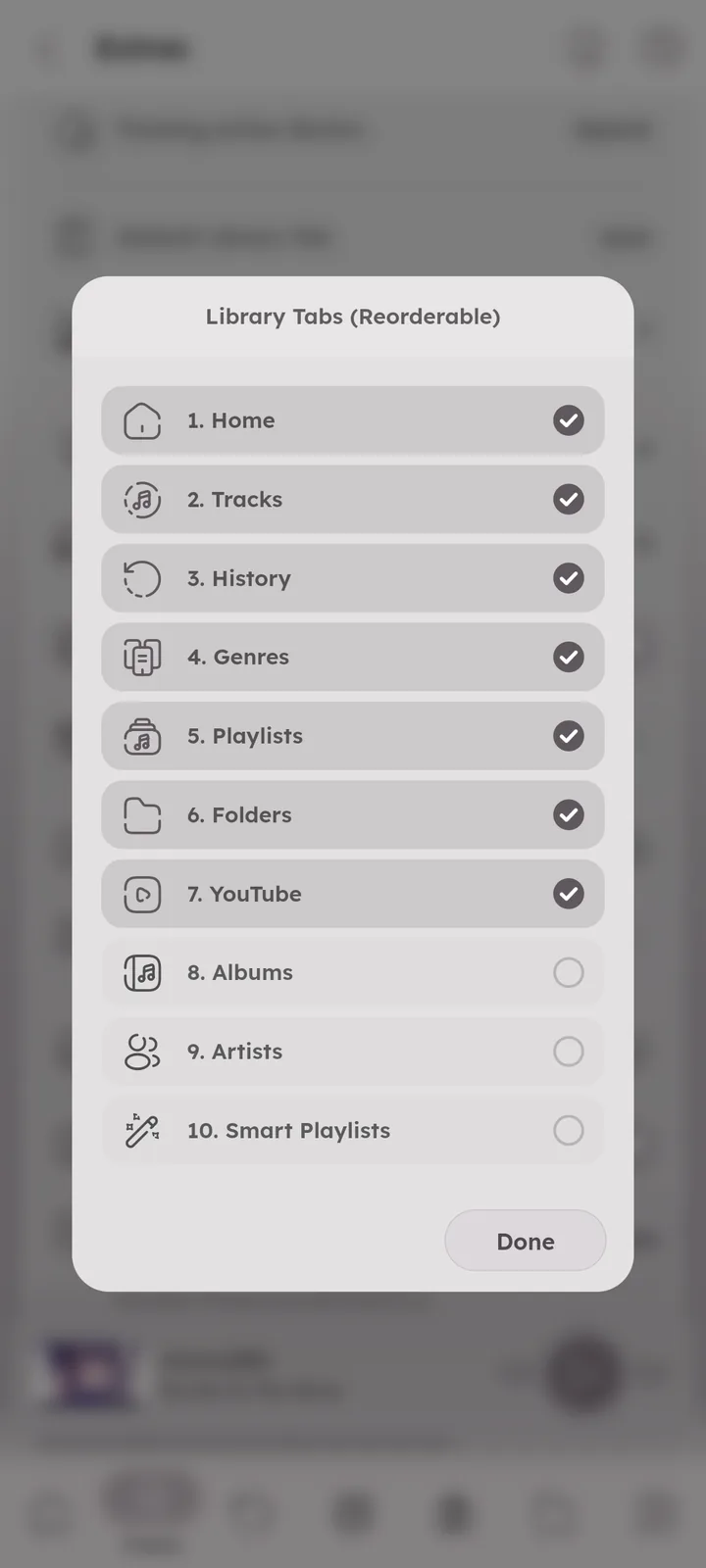
Library Tabs
Choose which tabs are enabled (tracks, albums, artists, genres, languages, playlists, smart playlists, folders, the current queue, stats, listening party and more), you can reorder them too. 📄 Library Pages ↗
Tracks and Folders have variants (audio only or videos only for Tracks, music or videos for Folders). Tracks variants show only when Include Videos is on.
Variants of the same tab share a single slot in the navigation bar, long press it to switch between them, or press the arrow beside it in the side menu. 🆕 v7.4.0
YouTube sections (home, notifications, channels, playlists and downloads) can be tabs of their own too, and long pressing the YouTube tab jumps to any section. 🆕 v8.2.0


Filter Tracks in Search Lists By
Which fields search looks into: title, artist, album, filename, comment, even lyrics and more.


Ignore Common Prefixes While Sorting
Ignores prefixes like “The” and “A” while sorting.
Enable Search Cleanup
Ignores symbols and spaces while searching, so matches are easier to find.
Romanization
🆕 v7.4.0
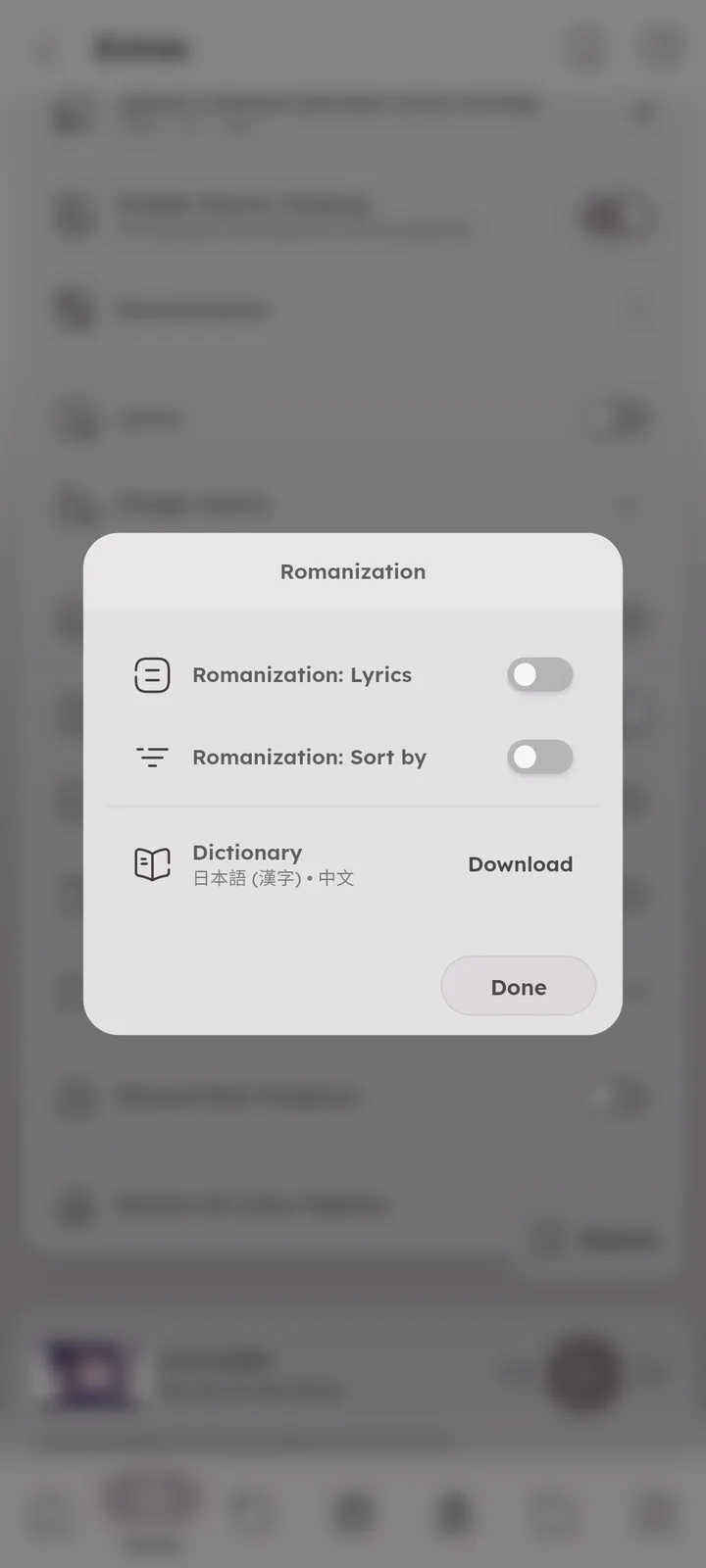
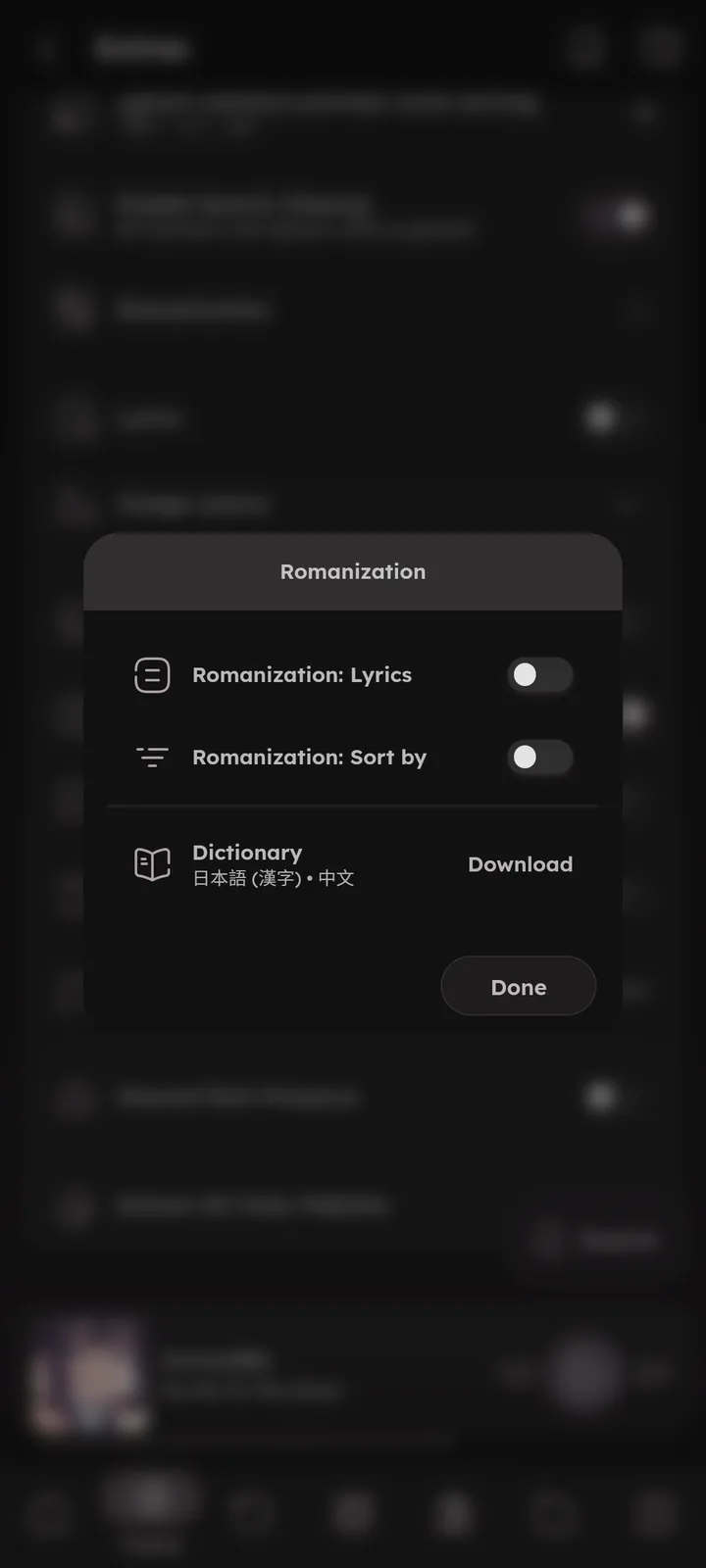
Read non latin text in latin letters. Press it to open the options:
- Romanization: Lyrics, adds the romanized text under each synced lyrics line. Plain lyrics are not romanized, and lines that already have their own romanized line are skipped.
- Romanization: Sort by, text sorts use the romanized text (so a Japanese title like
さくらsorts under S).🎉 Sorting ↗ - Dictionary, needed for Japanese kanji and Chinese characters. It’s a one time download, done automatically when an option needs it. Press it again to delete it.
Supported: Japanese (hiragana, katakana, kanji), Chinese, Korean, Greek, Cyrillic, Armenian and Georgian.
Dictionary is only needed for kanji and Chinese.
Lyrics that contain any Japanese kana are read as Japanese, otherwise Chinese characters become pinyin.


Lyrics
- Lyrics source, auto, local only or internet only.
- Prefer embedded lyrics, the lyrics tag wins over lyrics files and online lyrics: Always, Never, or Synced
🆕 v8.2.0(default, only when the tag has synced lyrics). - Stretch lyrics duration, adapts the timing for sped up, slowed or nightcore versions.
- Simple Lyrics Line, display the current lyrics line under the artwork.
🆕 v7.0.0- Shows translations and romanizations under each line, and word synced lyrics light up word by word like in the lyrics view.
🆕 v7.5.0
- Shows translations and romanizations under each line, and word synced lyrics light up word by word like in the lyrics view.
- Lyrics folders & Lyrics save location (inside it), see below.
🆕 v7.5.0
How lyrics are found: Namida looks for synced lyrics first, checking saved lyrics (the cache, files next to the track and your lyrics folders), then the embedded lyrics tag, then plain .txt lyrics, then online databases, ending with a web search for plain lyrics.
The lyrics source above limits this to only the local steps or only the internet steps.
Files next to the track can be .lrc, .ttml, .txt or subtitle files (.srt, .vtt, .sbv, .ssa, .ass), as long as they share the track’s filename.
Online databases are LRCLIB and KuGou. When both find lyrics, the one closest to the track duration is used, and the lyrics menu shows where each one came from.
Start the embedded lyrics tag with IGNORE to explicitly show no lyrics for that track. For fetched lyrics, pick Ignore 🆕 v8.2.0 from their menu in the lyrics picker.
Once lyrics are found they get saved (in the cache by default), and the saved copy is used first from then on. If lyrics you added later don’t show up, pick them in the lyrics picker and press Save, or delete the saved one, see 📄 I added lyrics but they don't show ↗.
Lyrics Folders
🆕 v7.5.0
Extra folders to look for lyrics in, matched by track filename. Inside a lyrics folder, Namida first looks in the same subfolders your library has, then directly inside it.
For example, with Music in your library folders, Music/Artist/song.mp3 finds Lyrics/Artist/song.lrc or Lyrics/song.lrc.
When Lyrics folders is the save location, lyrics are saved in the first folder, keeping your library’s subfolders.
Lyrics Save Location
🆕 v7.5.0
Where lyrics you add or that get fetched are saved: Cache (default), Track folder, or Lyrics folders. They are saved as .lrc for synced lyrics or .txt for plain ones, named like the track. If the location can’t be written to, the cache is used.
The saved location is checked first when looking for lyrics, so your edits always win.
Press the trash icon beside a location to delete lyrics there when you delete a track from Namida. Lyrics that another track uses are kept.


Image Source
Where album and artist images come from, with separate lists for albums and artists.
Immersive Mode
💻 Android only
Hide status & navigation bars while the miniplayer is expanded.
Swipe to Open Drawer
Open the side menu by swiping anywhere on the screen (like the app bar and navigation bar).
Always Expanded Searchbar
Keep the searchbar open instead of collapsing it into an icon.
Enable Clipboard Monitoring
Links and text you copy can show up right in the searchbar.
Vibration Type
💻 Android only
Vibration or haptic feedback for some actions, or none.
Vibration/Haptic feedback is only used for selected actions: expanding the miniplayer, seek magnet and seek cancel, tapping a duration in a video description, track swipe actions, long pressing play next/play last, long pressing a folder menu (opens all tracks inside), and rebuilding the queue without changing the playing item.
Extract All Color Palettes
Extracts colors for the whole library at once, instead of when each track plays. Used by Auto Coloring.
Flags
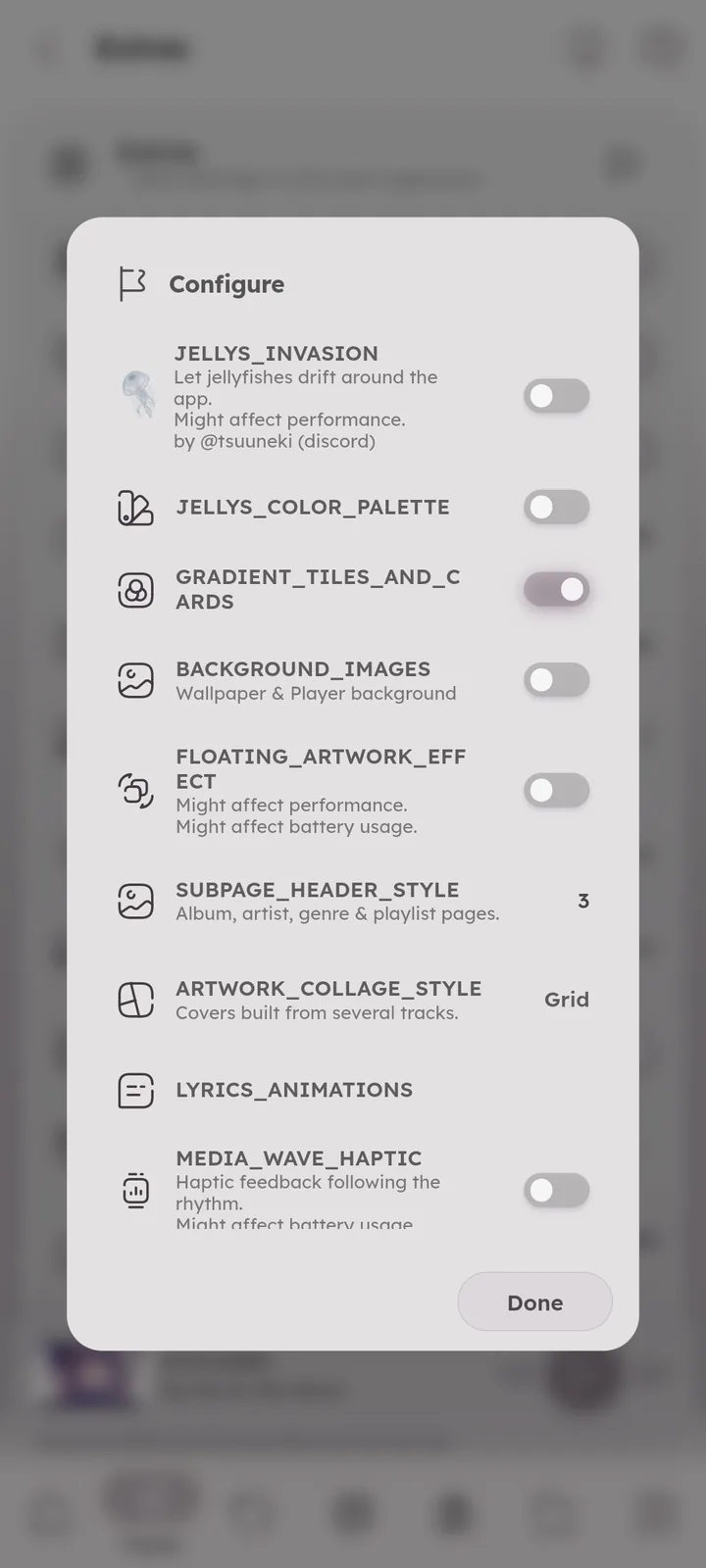
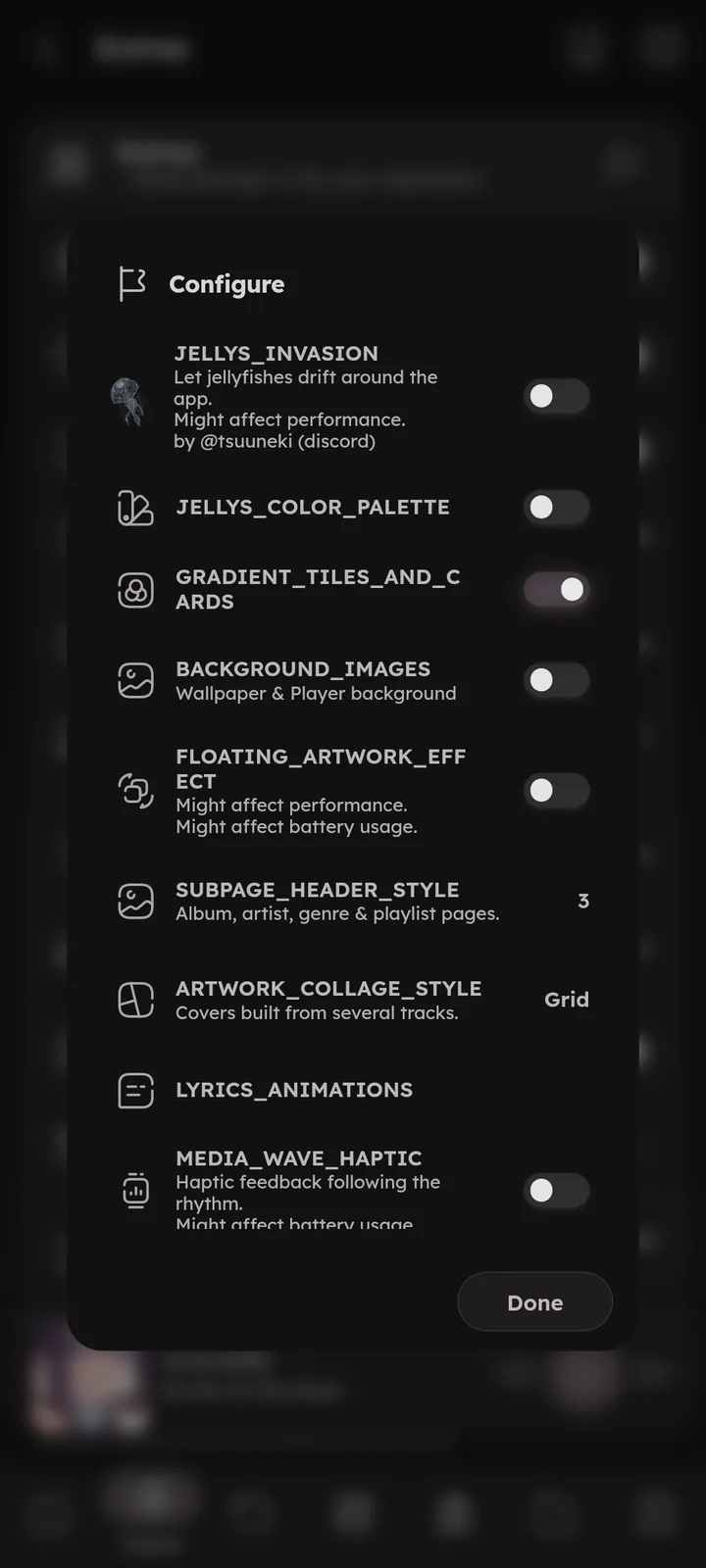
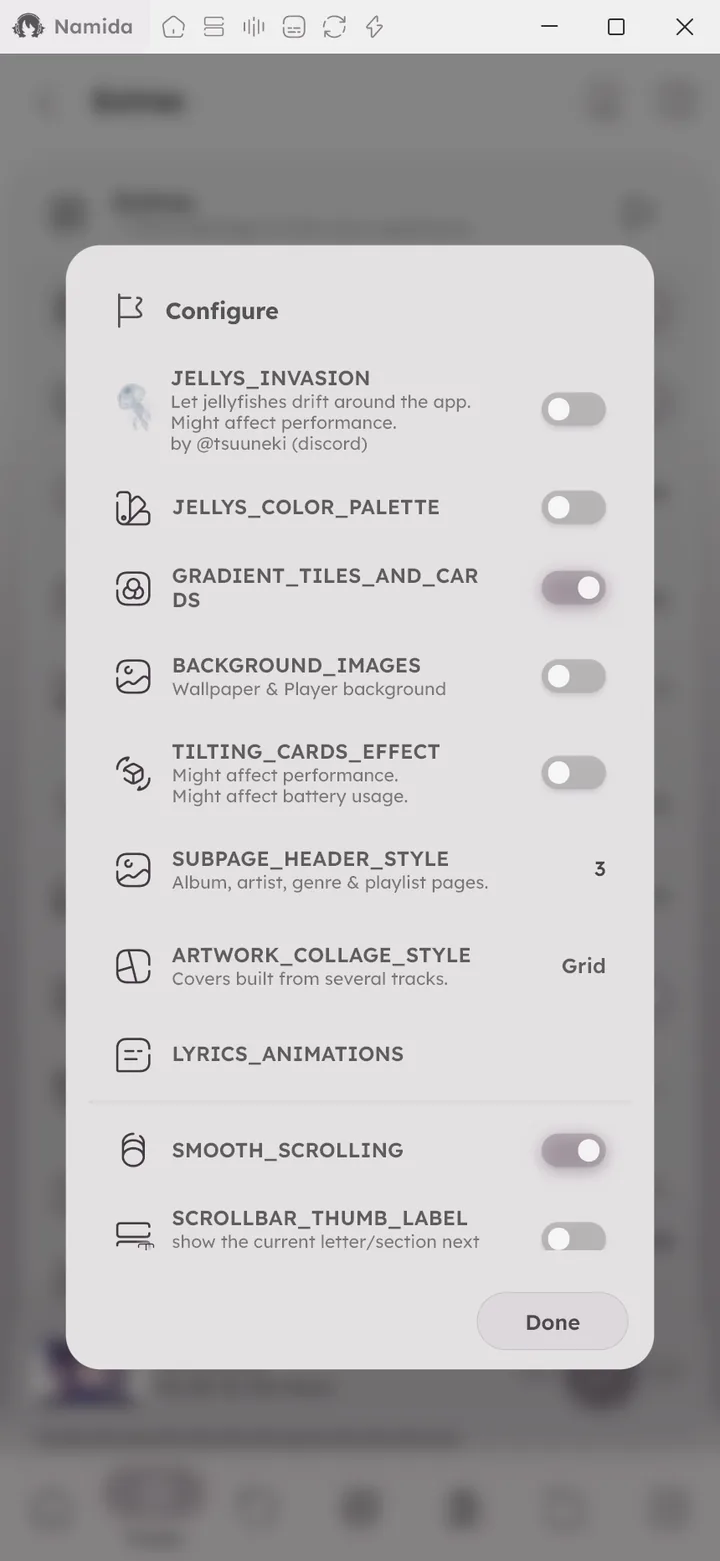
Hidden experimental options. Press the flag icon at the top of the Extras settings card to open them:
Visual:
JELLYS_INVASION&JELLYS_COLOR_PALETTE, lets jellyfishes drift around the app, with a matching color palette. Tap the jellyfish button in the theme settings to toggle them, long press it for both options.GRADIENT_TILES_AND_CARDS, gradient backgrounds for tiles and cards.BACKGROUND_IMAGES, custom images for the wallpaper and player background.🆕 v7.8.0FLOATING_ARTWORK_EFFECT (💻 Android only)&TILTING_CARDS_EFFECT (💻 Windows+Linux only), extra visual effects.SUBPAGE_HEADER_STYLE&ARTWORK_COLLAGE_STYLE, the header style of album, artist, genre and playlist pages (set per page type), and the look of covers made from several tracks.🆕 v8.2.0LYRICS_ANIMATIONS, choose the lyrics effects for the simple line, normal and expanded views, with presets from off to full.🆕 v8.2.0MEDIA_WAVE_HAPTIC (💻 Android only), haptics that follow the audio.
Scrolling:
SMOOTH_SCROLLING (💻 Windows+Linux only),ENHANCED_DRAG_TO_SCROLL&TAP_TO_SCROLL, scrolling behavior tweaks.SCROLLBAR_THUMB_LABEL, shows where you are while dragging the scrollbar (like the letter, year or date, depending on the sort).🆕 v7.8.0
Desktop:
SHOW_DESKTOP_TITLE_BAR&DESKTOP_TITLE_BAR_ICONS_TYPE (💻 Linux only), title bar look on desktop.
Misc:
VISUAL_TO_AUDIO_DELAY, delays lyrics and subtitles to make up for audio delay (like bluetooth headphones). The lyrics editor takes it into account too.RESUME_UI, the resume button and the highlight on the last played item in pages like albums, playlists and queues. On by default, turn it off to hide both and stop tracking where you left off.🆕 v7.4.0RECENT_SEARCHES, saves your searches and shows them in the search page.PREFERRED_SEARCH_TAB, the tab search opens on.YT_STYLE_PLAYER_BUTTON_SWITCHER, shows a button to switch between the local style and YouTube style player.KEEP_VIDEO_FRAME_ON_SWITCH, when switching to an item whose video is already downloaded, keep the last video frame until the next one shows (instead of flashing the artwork in between).🆕 v7.4.0ASK_BEFORE_REPLACING_QUEUE, asks before playing something that would replace the current queue: replace it, keep it, or add the new tracks to it.🆕 v8.2.0TIME_CAPSULE_YEARS, travel back in time, or into the future.
Flags are experimental, defaults are fine for most people.

- Library & IndexingSorting & Grouping
- PlaybackQueue System, Lyrics
- Subtitles
- Lyrics EditorLatency, Saving
- Listening PartyHow It Works
- Effects & VisualizersPlayer Background, Wallpaper
- Shortcuts
- Pages
- LibraryTracks, Languages, Queue, Stats, Smart Playlists, Search
- YouTube PagesSections
- Other PagesStats
- SettingsSections
- CustomizationsGeneral
- What's New🏷️ v8.2.0, 🏷️ v7.8.0, 🏷️ v7.5.0, 🏷️ v7.4.0, 🏷️ v7.0.0
- Beginner GuidesChange or fix lyrics
- Tips & TricksSearch, Library Pages, YouTube, Scrolling
- FAQWhere do lyrics come from?, Can I change the lyrics source?, I added lyrics but they don't show (or keep showing old ones)
- MembershipFree for Everyone
- PermissionsAlways Used
Author: @MSOB7YY
Writer: @claude
