
Playlists & History
Playlists
Normal playlists with custom order and the ability to set custom artworks. Also:
- M3U playlists, import them or keep them synced with the original file, so changes made in Namida show up in other apps too. Any playlist can be converted to M3U and back, or exported once. M3U files only show up if their folder is in the indexer folders (except Namida Folder
/M3U Playlistswhich always loads🆕 v7.5.0).- Sharing a playlist as a file isn’t possible, send its M3U file with apps like Syncthing or LocalSend instead. Converted playlists are saved in Namida Folder
/M3U Playlists.📒 Syncing Playlists Guide ↗ - Between Namida devices, Sync can send your playlists too.
🎉 Sync feature ↗- M3U playlists arrive as M3U files in Namida Folder
/M3U Playlists, the rest as normal playlists.🆕 v7.5.0
- M3U playlists arrive as M3U files in Namida Folder
- Sharing a playlist as a file isn’t possible, send its M3U file with apps like Syncthing or LocalSend instead. Converted playlists are saved in Namida Folder
- Server playlists, auto import playlists from configured music web servers (Jellyfin, Subsonic/Navidrome and others) on library refresh.
- YouTube playlist downloads can be added to a library playlist, in the same order as the source.
🆕 v7.4.0🎉 Into a Library Playlist ↗ - Custom order for playlists, press the edit icon at the top to enable reordering.
- Custom order for playlist tracks, press the lock icon at the top to enable reordering or removing. If a playlist has active sorters, disable them first to reorder manually.
- Playlists can be searched, and can have moods (which the queue uses when adding tracks by mood). Search matches tags too.
- Pin a playlist from its menu to keep it at the top.
🆕 v7.8.0 - Pinned playlists can show on the Home page too, enable Pinned Playlists from its configure button.
🆕 v8.2.0 - Select many playlists with the checklist icon at the top, to tag, pin, play, merge, export or delete them at once.
🆕 v7.8.0 - M3U playlists keep their comment, moods, tags and sorting.
🆕 v7.8.0 - Remove Duplicates is in the playlist menu, under Advanced.
🆕 v7.8.0 - Add a description from the playlist menu -> Edit (YouTube playlists too), it shows on the playlist page.
🆕 v8.2.0
Sorting a playlist’s tracks keeps your custom order, clearing all sorters asks whether to restore it. Synced M3U files keep the custom order too. 🆕 v8.2.0
Also see the 🎉 YouTube feature ↗ for how local and YouTube playlists relate.


Playlist Tags
🆕 v7.8.0
Organize your playlists with tags, like gym, chill or anime/openings.
- Add tags from a playlist’s menu -> Tags/Moods. Select many playlists to tag them all at once.
- Use a slash to put a tag inside another, like
gym/cardio. Filtering bygymshows those too. - Tap a tag in the tags row to show only its playlists, or hold it to hide them instead.
- The ⋯ chip can play the shown playlists, save the filter, group the page by tags, or manage your tags.
- When grouped, long press a tag’s header to select all its playlists.
🆕 v8.2.0
- When grouped, long press a tag’s header to select all its playlists.
- Importing a folder of M3U files tags each playlist with its folder name.
📄 Playlists Page ↗
YouTube playlists can be tagged and pinned too. 📄 YouTube Playlists Page ↗
Tags and pins sync along with their playlists, and smart playlists can pick tracks by tag. 🎉 Smart Playlists ↗


Smart Playlists
Playlists built from rules instead of manual picking, they update themselves as your library and history change.
They also have their own full page (reachable from the playlists page), where you can create and reorder them.
All rules, how to combine them, and examples from easy to complex: 🎉 Smart Playlists feature ↗


History
A reliable and flexible history system. You choose the minimum seconds or percentage that counts as a listen. History can be imported from other services, and listens can be replaced, never deleted. ⚙️ Configure Listen Counting ↗
Open a track’s listens dialog to see every single listen. Tap a listen to jump to that exact day in history, or use the button beside it to open Most Played for that time range.
After jumping, arrows at the bottom move between that track’s other listens. 🆕 v8.2.0
Search the history with the icon at the end of the years row, only the listens of matching tracks are shown. 🆕 v8.2.0


Most Played
Find your top tracks based on your history record, with a custom time range to see your most beloved tracks at that time.
- Use the slider to move between adjacent periods.
- Pick a single day with a days radius around it, to see what you were into around that day.
- Ranges can be day based or clock based. Day based starts from the beginning of the day, clock based counts back from the current time.


Stats & Your Year
🆕 v7.0.0
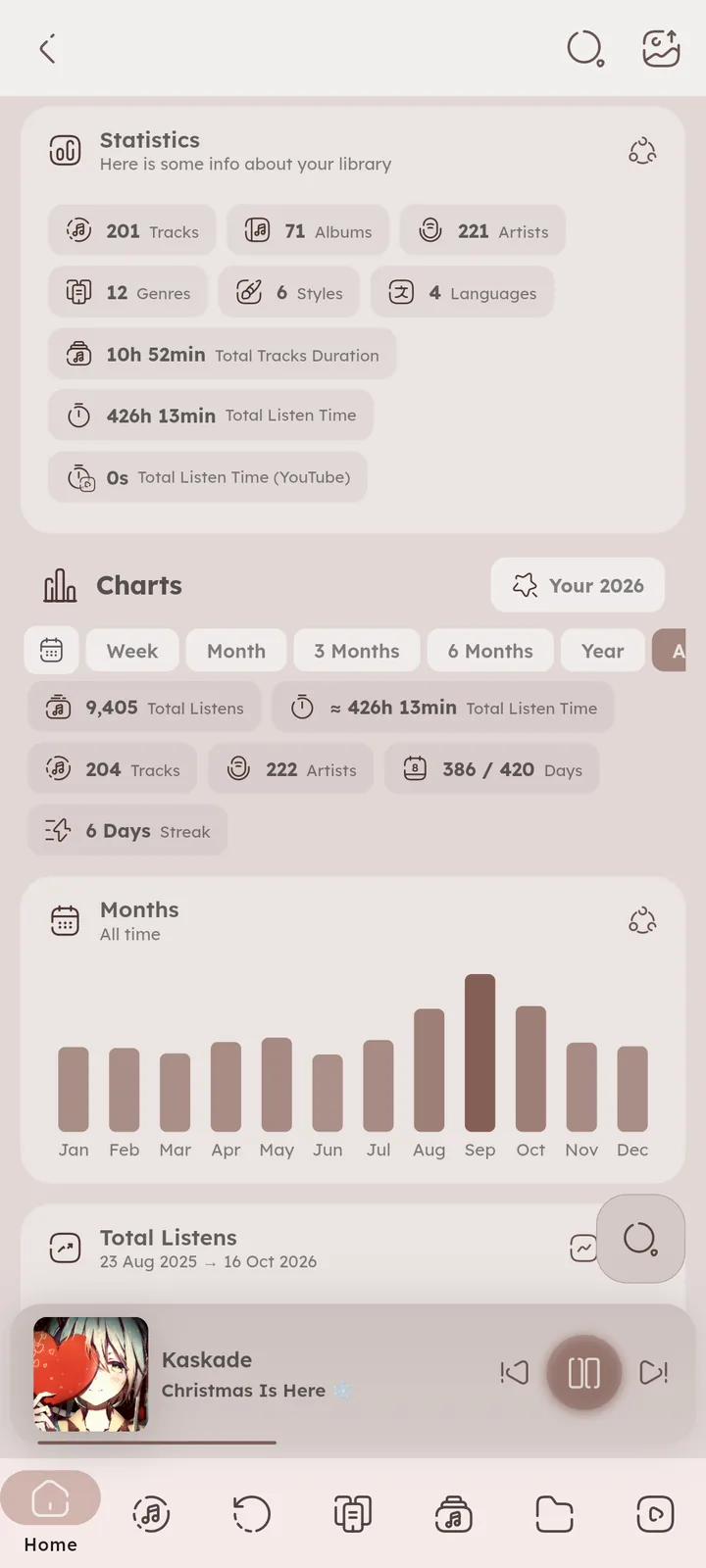
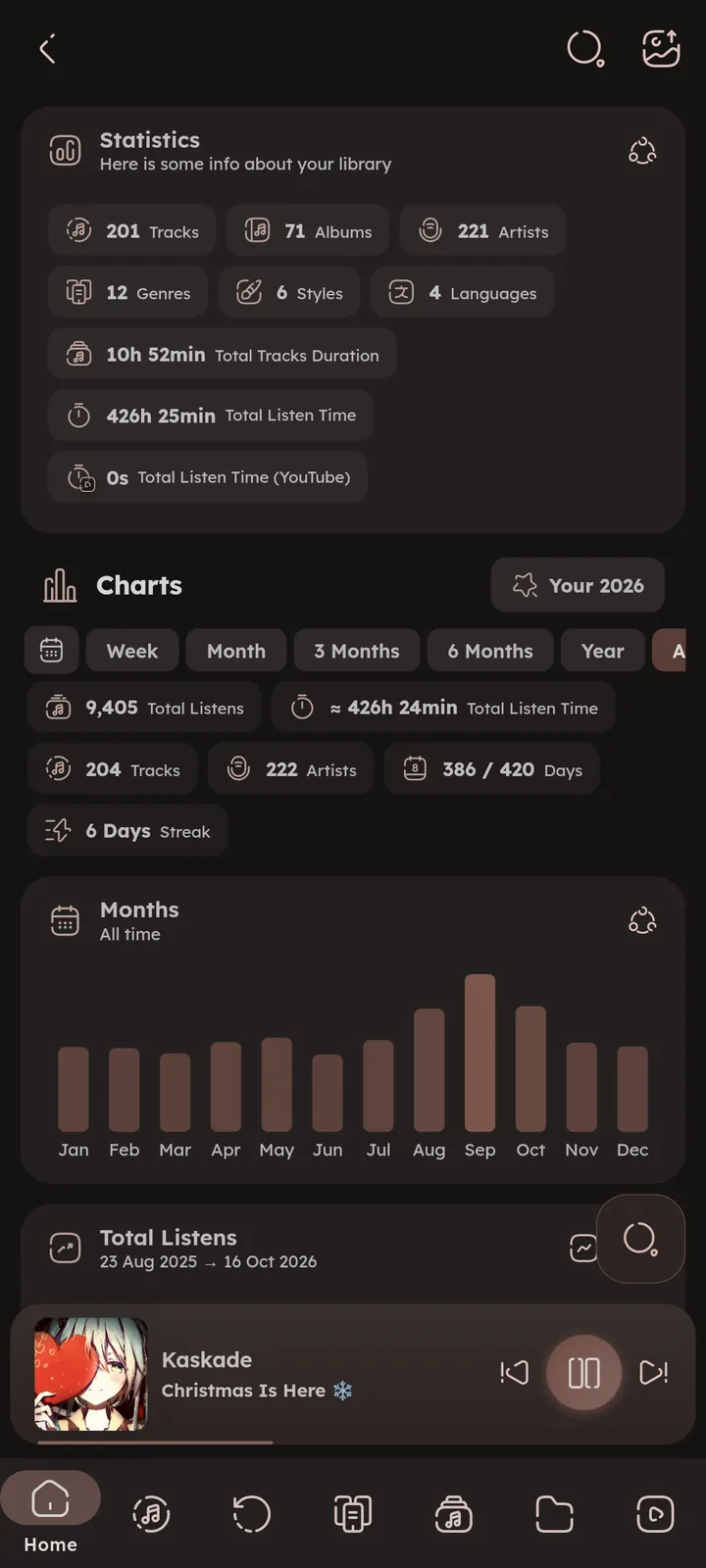
Charts built from your history, and a yearly wrap up. See 📄 Stats Page ↗ and 📄 Your Year Page ↗. Any album, artist, playlist or folder dialog also has a Stats entry with listen stats for just those tracks.
Top tracks and discoveries can be played, shuffled or saved as a playlist from their menu. 🆕 v8.2.0 📄 Stats Charts ↗


Lost Memories
Meet the tracks you listened to around this time, but N years ago.


Smort Tracks Generation
Generate tracks related to the current one (typically the ones you often listened to in the same period), based on your history. You can also generate from a time range, moods, ratings, similar release date, or randomly.
Similar Tracks matches the current track by genre, style, mood, artist, tempo, key and more, pick what to match by from its filter button. 🆕 v8.2.0


History Import
Import your listening history from YouTube, LastFm, Spotify and ListenBrainz exports, everything gets merged into your Namida history. ⚙️ Configure Imports ↗
The same exports can bring your liked tracks (YouTube, Spotify and ListenBrainz) as favourites, and YouTube playlists, pick what to import before starting. 🆕 v8.2.0
Your history is backed up before importing (unless you turn it off), and the progress dialog shows each step on its own. 🆕 v7.4.0
The Home page rebuilds itself once the import is done, so mixes and recent listens include what you just imported.
Related Settings
- ⚙️ Playback, Count a Listen After
- ⚙️ Backup & Restore, Import data
- ⚙️ Advanced, Remove Source from History
- Features
- Smart PlaylistsText Rules
- YouTubeInto a Library Playlist, Playlists
- Media ServersServer Playlists
- System IntegrationOpen With & Share
- LibraryPlaylists, Moods, Tags & Rating
- YouTube PagesPlaylists
- AdvancedRemove Source from History
- What's New🏷️ v8.2.0, 🏷️ v7.8.0, 🏷️ v7.5.0, 🏷️ v7.4.0, 🏷️ v7.0.0
- Medium GuidesSync playlists between devices
- MembershipFree for Everyone
- Smart PlaylistsText Rules
- YouTubeInto a Library Playlist, Playlists
- SyncWhat Gets Synced
- LibraryPlaylists
- YouTube PagesPlaylists
- Other PagesStats, Charts, Your Year
- PlaybackCount a Listen After
- Backup & RestoreImport data
- AdvancedRemove Source from History
- Medium GuidesSync playlists between devices
- Tips & TricksHistory
- Storage PathsNamida Folder
Author: @MSOB7YY
Writer: @claude
