
Playback
Everything you expect from a music player, plus some extras.
Queue System
A persistent and reliable queue system, your sessions are saved for later usage. Also:
- Repeat modes, including repeat for N times and a shuffle flavor, see below.
- Shuffle is a toggle, separate from the repeat mode.
🆕 v7.1.0- Turning it on shuffles the queue with the playing track first, turning it off restores the original order. Playback is never interrupted.
- While on, new queues start shuffled, with the track you pressed first.
- It persists between sessions and is the same toggle everywhere: queue, home screen widget, media controls and the desktop shortcut.
- Stop after any track, open a queued track’s menu and choose “Stop after this track”.
🆕 v7.0.0- For the playing track, there’s also a notification button, an artwork gesture action and
Ctrl+Space.🆕 v8.2.0
- For the playing track, there’s also a notification button, an artwork gesture action and
- Insert after latest inserted, for stacking several tracks in order.
- With the
ASK_BEFORE_REPLACING_QUEUEflag, playing something new asks whether to replace the queue, keep it, or add the new tracks next, after or last. The “Play (Choose)” gesture action always asks.🆕 v8.2.0 - Play modes when playing from search: selected track only, search results, album, first artist or first genre.
- Recommended & Similar Release Date, add tracks you usually listen to with the current one, or released around the same time.
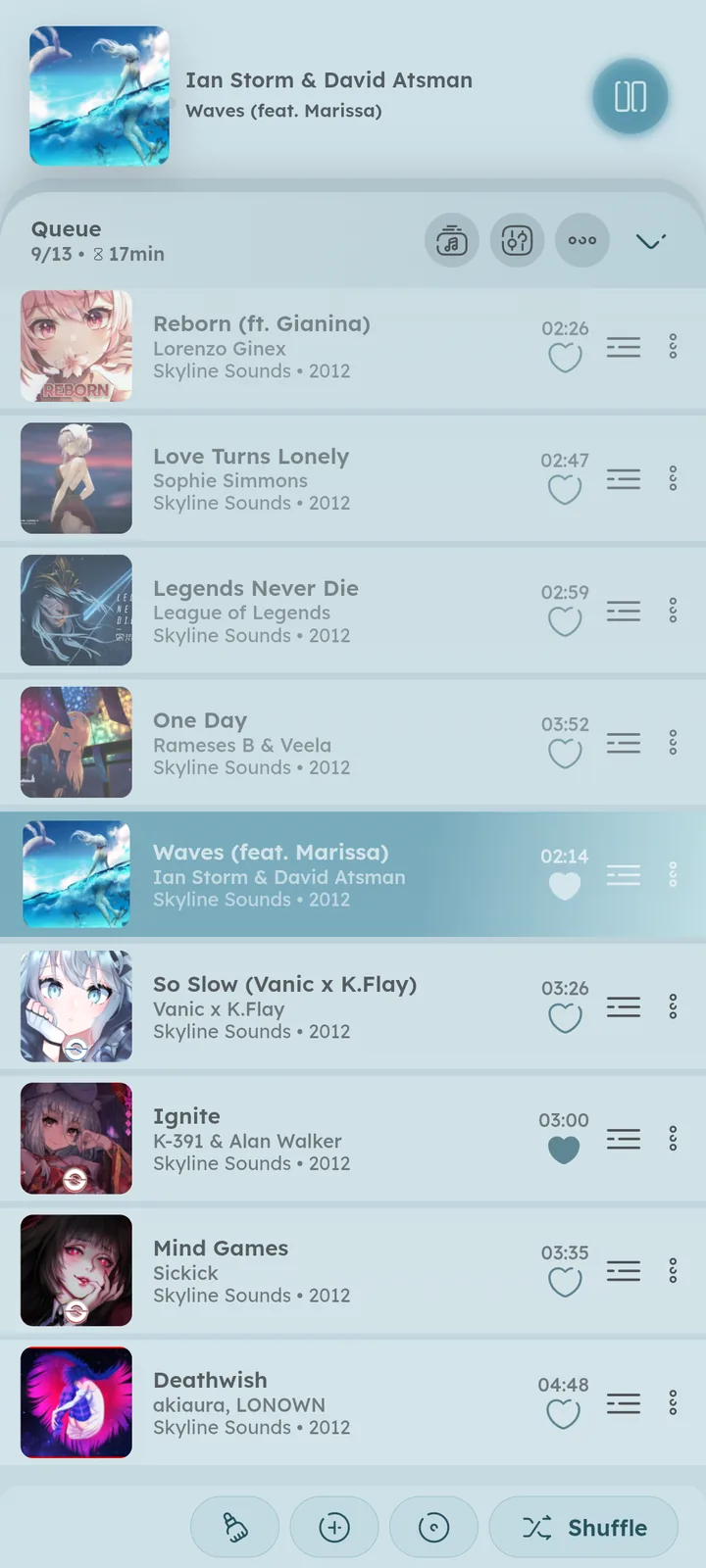
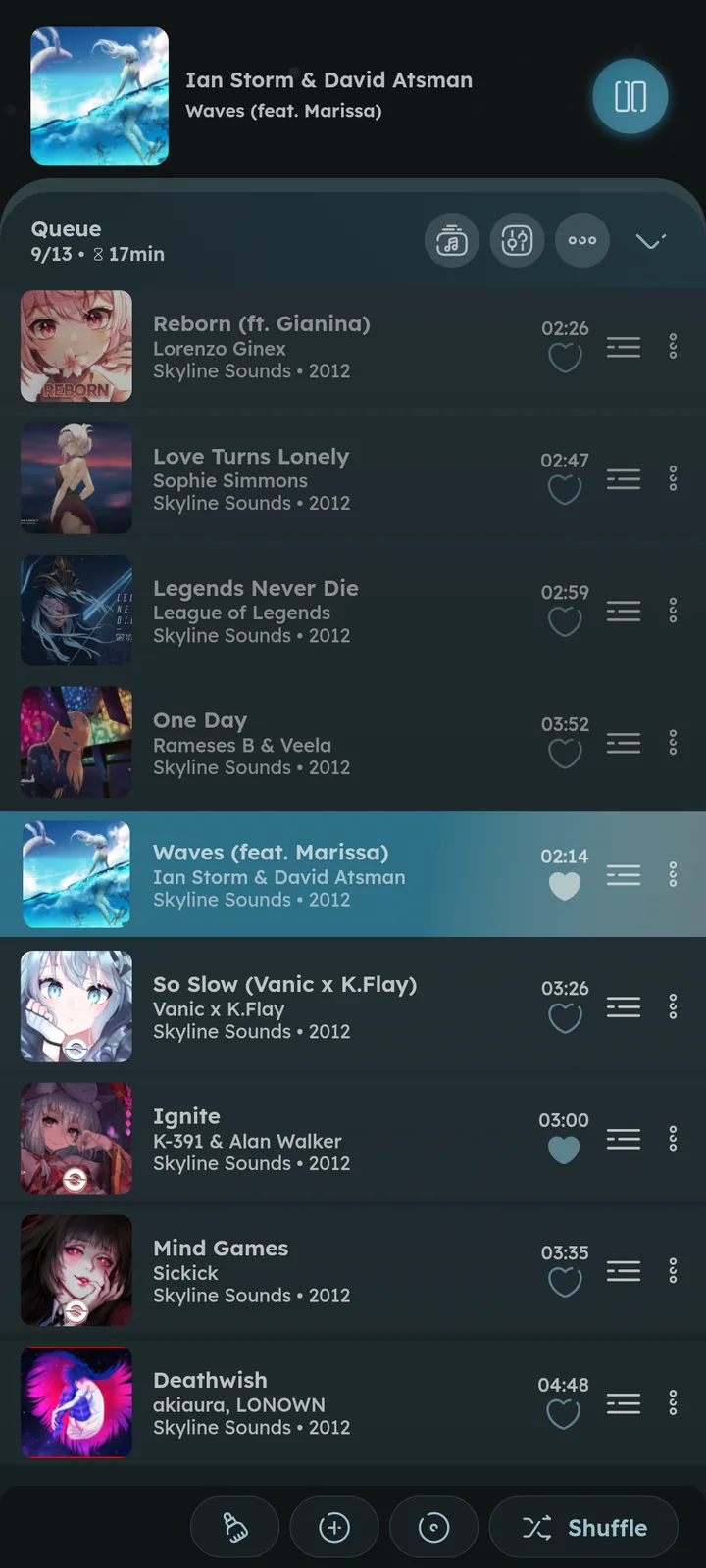
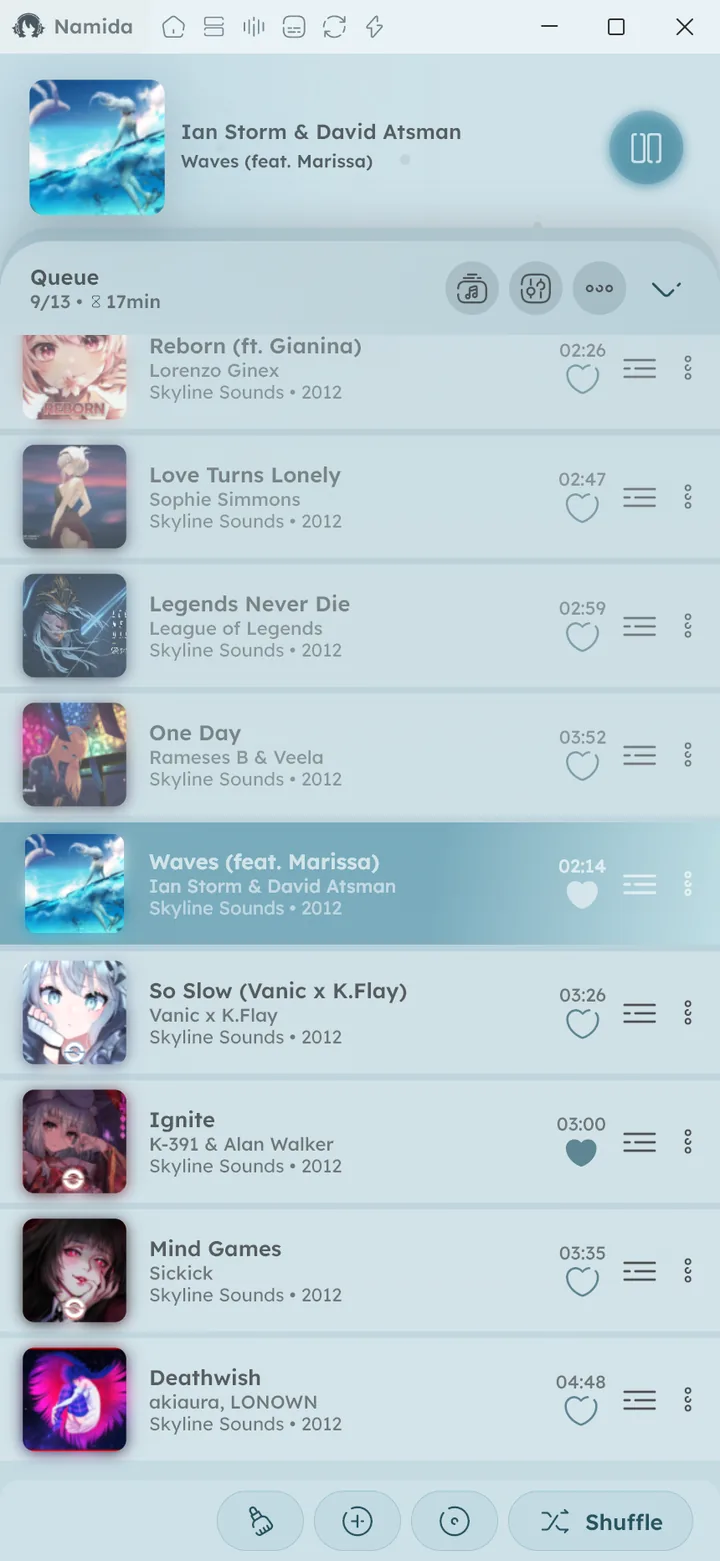
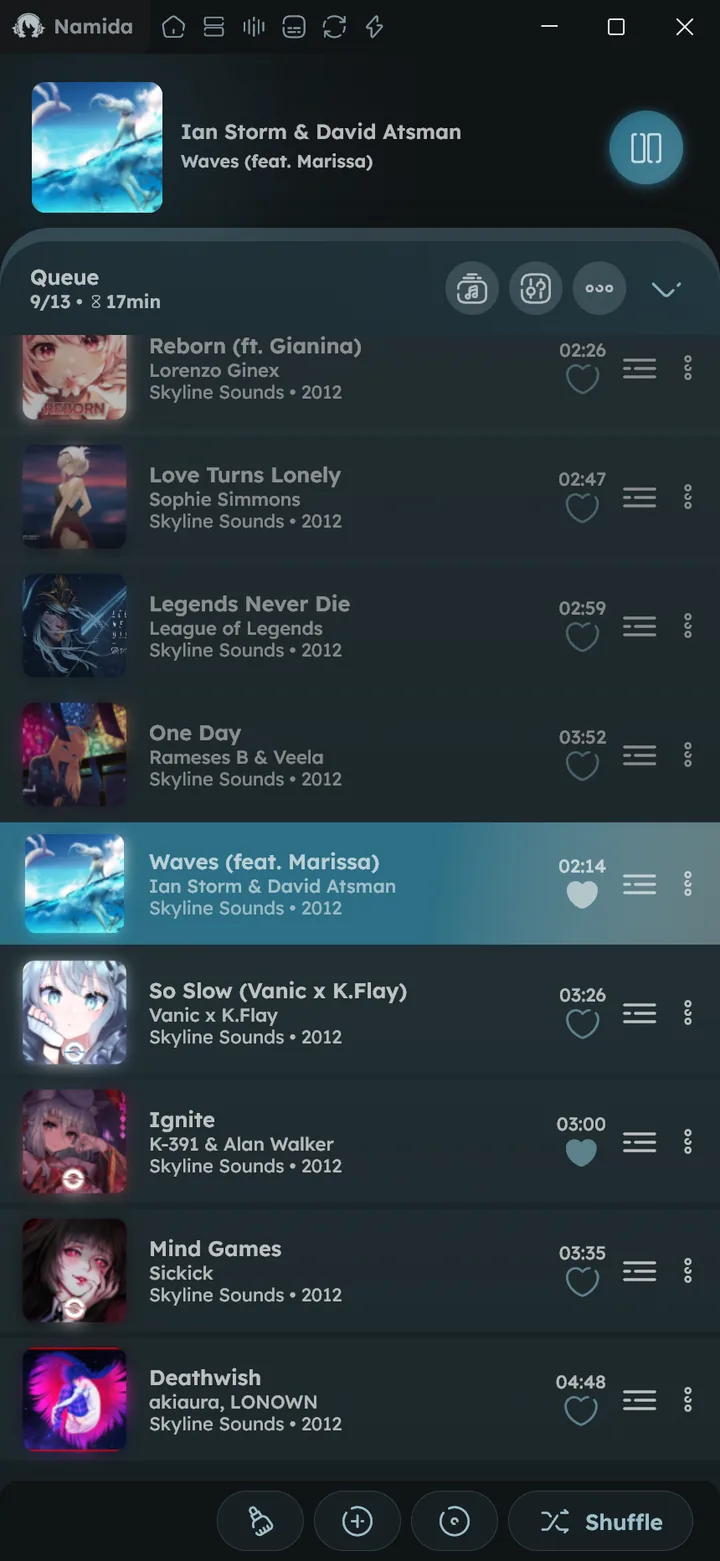
The queue’s bottom row packs more than it looks:
- The clear button removes duplicates, everything before, everything after, or all except the current track.
- The add button generates and adds tracks:
- Local: Random, Time Range, Moods, Ratings, Similar Release Date, Similar Discover Date, Similar Time Range, Similar Tracks and Recommended
- YouTube: Random, Time Range, Mix, Similar Release Date, Similar Discover Date, Similar Time Range and Recommended.
- A jump button scrolls right to the current track.
- Queues open at the playing track and follow it as it changes, until you scroll away (the jump button starts following again).
🆕 v8.2.0
- Queues open at the playing track and follow it as it changes, until you scroll away (the jump button starts following again).
- In a queue mixing tracks and videos, the add to playlist button asks whether to add the tracks or the videos.
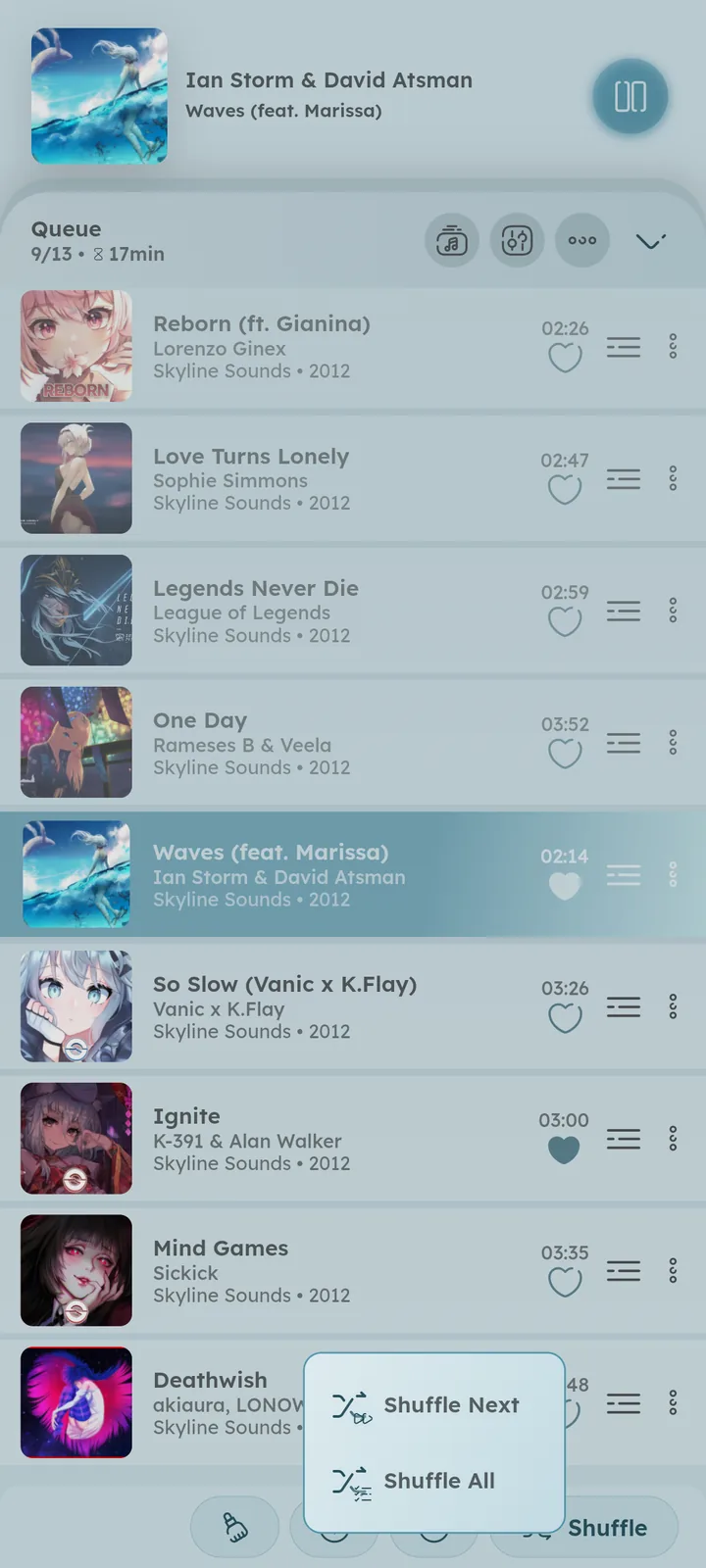
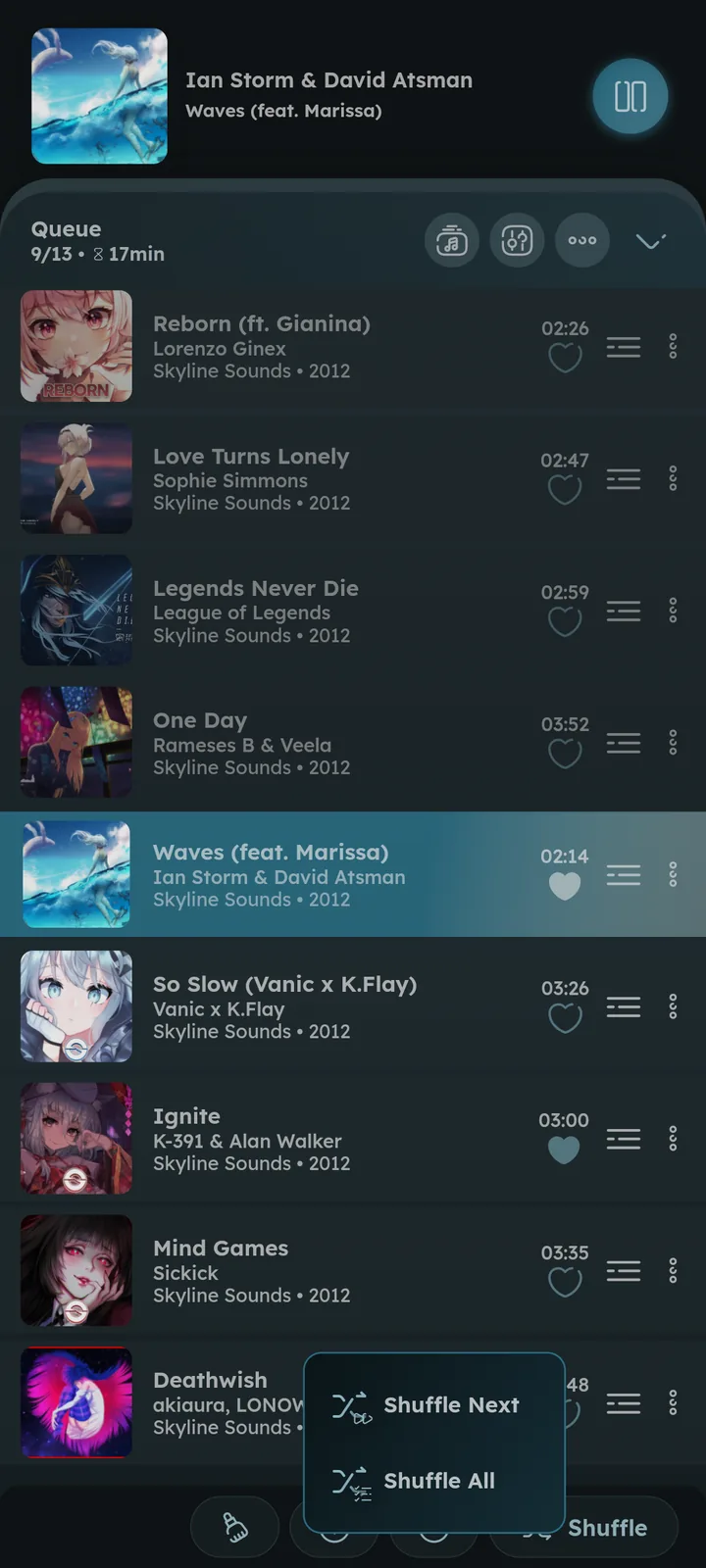
- Tap shuffle to toggle it, the button stays highlighted while it’s on. Long press it for a one time shuffle instead: Shuffle Next shuffles the upcoming tracks, Shuffle All shuffles the whole queue.


Repeat Modes
Press the repeat button in the player to pick one:
- Stop on Last Track, playback pauses after the last track.
⚙️ Jump to First Track After Finishing Queue ↗ - Repeat Current Track, the current track plays again and again.
- Repeat for N times, the current track repeats N times, then the next one plays.
- Repeat All Queue, the queue loops.
- Repeat All Queue (Shuffle), the queue is reshuffled every time it ends.
In a listening party, the room has its own repeat mode that everyone follows.
Audio Effects
Crossfade (with smart & beat matched styles), Play/Pause fade effect, Gapless playback, Skip silence, a parametric Equalizer, Sound effects and Loudness Enhancer. Crossfade is part of the membership, or unlock it with an egg. ⚙️ Configure Effects ↗ 📄 Membership ↗
Looking for visual effects and visualizers instead? See 🎉 Effects & Visualizers ↗
Smart & Beat Matching
🆕 v8.2.0
Crossfade’s Style option changes how automatic crossfades happen:
- Smart, starts the crossfade where the track fades out or ends, and skips the silence at the start of the next one.
- Beat matching, also matches the tempo and lines up the beats of both tracks. While it’s on, shuffle prefers tracks with a close tempo and a compatible key.
Upcoming tracks are analyzed in the background (BPM and key tags are used when present). To analyze the whole library at once, or write the analyzed BPM into tracks missing it, use the ANALYZE_RHYTHM flag in Advanced settings. ⚙️ Configure Crossfade ↗


Sound Control
Press the audio effects icon in the player, the Sound Control tile at the top of settings, or Sound Control in playback settings. From top to bottom:
- Output device, Bit-perfect and USB direct access (or Exclusive mode on Windows & Linux).
🆕 v7.8.0 - Audio path, and what Bit-perfect and USB direct access turn off.
🆕 v7.8.0 - Normalize audio.
⚙️ Configure Normalize Audio ↗ - Two tabs:
- Global, applies to everything you play.
- Item, applies to the current track or video only, anything you don’t change there follows Global (a small icon shows when it has its own settings). Press reset to fall back to global, or turn on “Force use Global Config” to ignore per item settings.
- Save the current settings as a preset with the save icon on each tab, tap a preset to apply it to the open tab, or long press it to save over, rename or delete it.
🆕 v8.2.0
- Mono audio, both sides play the same sound.
🆕 v7.8.0 - Sound effects.
🆕 v8.2.0
Both tabs carry Skip Silence 💻 Android+Linux only, Pitch (as a percentage or in semitones), Speed, Volume, Loudness Enhancer and the Equalizer with its presets.
Tap a value icon to type it precisely instead of dragging the slider.


Equalizer
🆕 v7.8.0
A parametric equalizer with as many bands as you want, on every platform. Old settings and presets carry over.
- Drag a band on the curve to tune it, or long press an empty spot to add one. A Sliders view is there too.
- Any band type (peak, shelf, low/high pass, notch…), on both channels or just one.
- Auto preamp and a limiter keep boosts from distorting.
- Built-in or your own presets, each can follow an output device. Long press a preset to use it for the current device, save the current bands into it, rename or delete it.
- Import from AutoEq or Equalizer APO, or export as Equalizer APO text.
On Windows, only Peak bands for now.
On Android, long press “Open App” to pick an external equalizer app.


Sound Effects
🆕 v8.2.0 💻 Android only
At the bottom of Sound Control, tap one to turn it on, drag across it to set its intensity.
- Headphones: crossfeed & virtual surround.
- Tone: bass enhancer, tube warmth & compressor.
- Space: reverb, echo, chorus & 8D audio.
- Instrumental, lowers the vocals.
Output Device
🆕 v7.8.0
Pick where Namida plays, it’s remembered for when the device reconnects.
Bit-perfect
The file reaches your output device exactly as it’s stored, nothing changes it on the way.
- Android: needs Android 14+ and an output that supports it (usually a USB DAC), or USB direct access on any version.
- Windows & Linux: every effect is skipped, and only Namida uses the output device while playing.
Anything that changes the audio (like the equalizer or speed) is turned off meanwhile.
With USB direct access and a DAC without its own volume control, bit-perfect tracks play at full volume. Lower the volume on your headphones or amp first.
Not using it? Playback still got better for everyone, see Audio Quality.
USB Direct Access
💻 Android only
Namida drives your USB DAC itself instead of going through Android, so bit-perfect works on any Android version.
- Connect the DAC and turn on USB direct access.
- Allow access when Android asks. Android can also offer Namida as the default app, which skips the question next time (not offered for DACs with a microphone).
- Volume keys work as usual. DACs with their own volume control keep the audio untouched.
- Unplugging the DAC pauses playback, like unplugging headphones.
- Crossfade, Loudness Enhancer and other apps’ sounds are off while the DAC is in use.
It works with or without Bit-perfect:
- With Bit-perfect, the audio reaches the DAC untouched.
- Without Bit-perfect, effects like the equalizer still work, and the audio still bypasses Android’s audio system (playing at the track’s own sample rate when the DAC supports it).
Asked for access every time? See the FAQ.
Exclusive Mode
🆕 v8.2.0 💻 Windows+Linux only
Namida takes the output device for itself (like Bit-perfect does), but keeps your effects:
- Off: other apps’ sounds and crossfade.
- Still working: the equalizer, speed, pitch, volume and the rest of the effects.
Audio Path
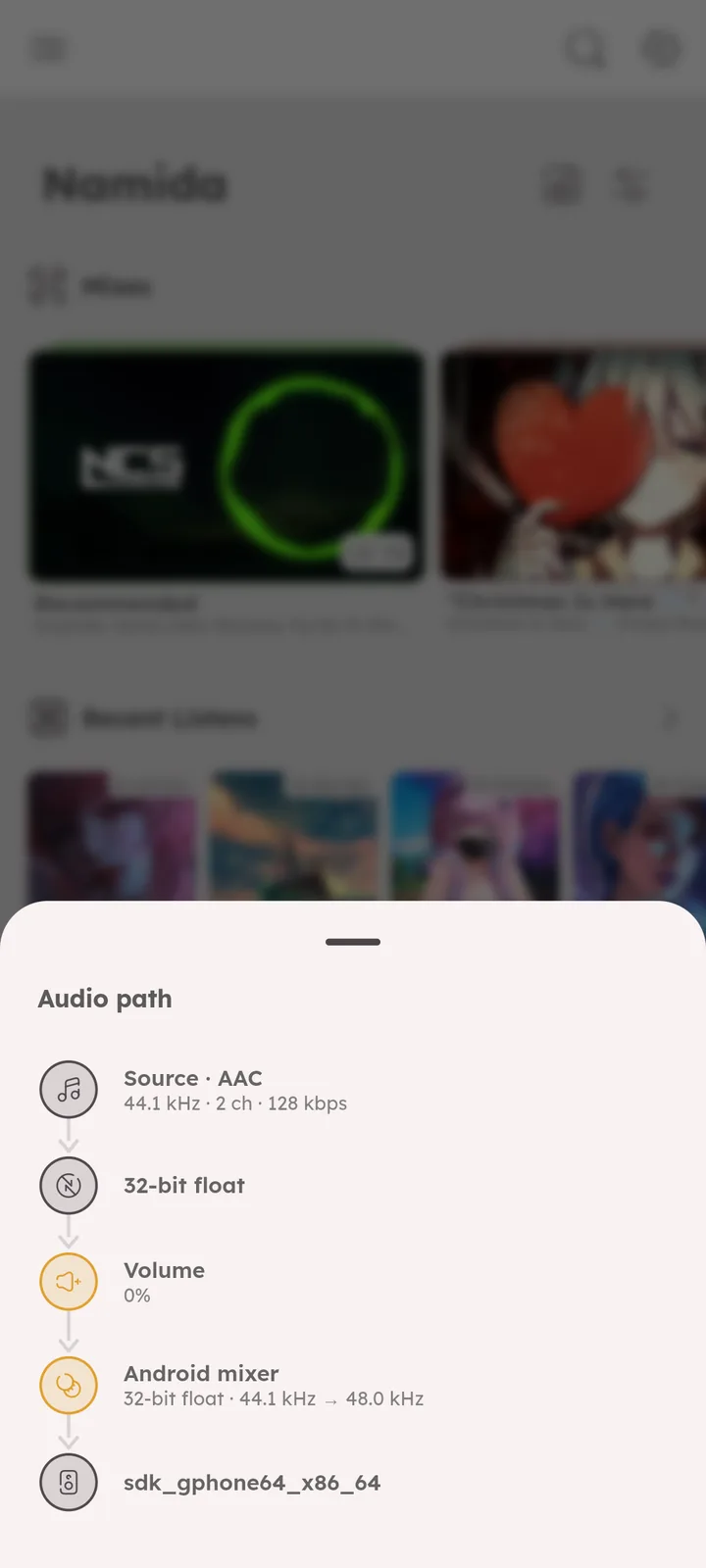
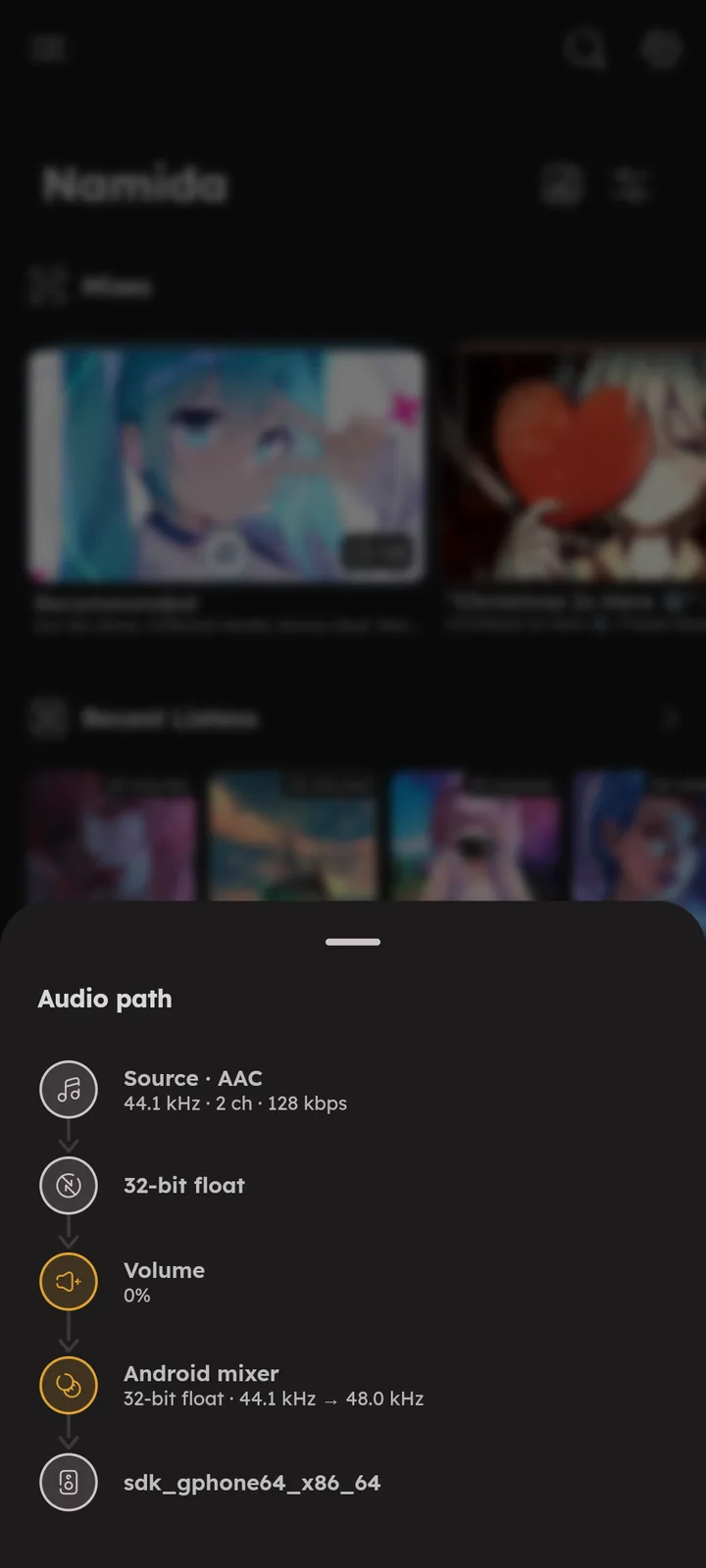
Every step the audio goes through (from the file to your device), with the ones that change it highlighted. Open it from Sound Control, or by long pressing the audio/video button in the player.




Audio Quality
🆕 v7.8.0
Better sound without Bit-perfect or USB direct access:
- On Android, audio is processed in 32-bit float, so 24-bit files keep their full precision.
- The volume slider follows how loud it sounds, like a real volume knob. On Android, raise your old volume once if it sounds low now.
- On Windows & Linux, replay gain follows real decibels, see Replay Gain.
Replay Gain
Normalizes volume across tracks by reading the replay gain tag, and the loudness info provided by YouTube for videos. ⚙️ Configure Normalize Audio ↗
On Windows & Linux, replay gain and the loudness enhancer now follow real decibels, the same as Android. 🆕 v7.8.0
Pausing Scenarios
Control exactly what happens on calls, notifications, volume 0 and device disconnect, and when to resume. ⚙️ Configure Pausing ↗
Video Integration
Namida can play videos related to your music. Videos are found locally by filename matching, or fetched from YouTube using the link in the track’s comment tag or filename. ⚙️ Configure Video Playback ↗ 📒 Link a YouTube Video Guide ↗ 📒 Link a Local Video Guide ↗


Lyrics
Lyrics are fetched and shown automatically (synced or plain), with support for displaying word synced lrc/ttml files. Subtitle files next to the track (.srt, .vtt, .sbv, .ssa, .ass) work as lyrics too.
Online lyrics come from LRCLIB and KuGou, and the best matching result is picked using the track duration. Long press the lyrics to enter fullscreen. ⚙️ Configure Lyrics ↗
Synced lyrics in Japanese, Chinese, Korean, Greek, Cyrillic and a few more scripts can show a romanized line under each line. 🆕 v7.4.0 ⚙️ Configure Romanization ↗
The simple lyrics line under the artwork shows translations and romanizations too, and word synced lyrics light up word by word there (like in the lyrics view). 🆕 v7.5.0 ⚙️ Configure Simple Lyrics Line ↗
Choose where lyrics are saved (the cache, the track folder or your own lyrics folders), and delete them along with the track. 🆕 v7.5.0 ⚙️ Configure Lyrics Save Location ↗
The LYRICS_ANIMATIONS flag turns each lyrics animation on or off, separately for the simple line, normal and expanded views, or all at once with a preset. 🆕 v8.2.0
Lyrics Picker
Long press the lyrics button in the player (right click on desktop) to see every lyrics found for the track. Search, shift or edit them from there, and: 🆕 v7.8.0
- The edit icon opens the lyrics in the lyrics editor, and Add starts new ones there.
🆕 v8.2.0🎉 Lyrics Editor ↗ - The ones in use are marked Active, tap others and press Save to use them instead.
- Embed (from the ⋮ menu) writes them into the track’s lyrics tag.
- “Prefer embedded lyrics” (global) shows when the track has embedded lyrics: Never, Synced
🆕 v8.2.0(only when they’re synced) or Always. - Ignore (from the ⋮ menu of fetched lyrics) hides them and stops fetching lyrics for that track.
🆕 v8.2.0 - Font Scale sets the lyrics size, for normal and fullscreen.


Translations
Synced lyrics can show a translation under each line, written in any of these ways:
[00:12.16]Can we put it out?
[00:12.16]On peut l'éteindre ?
[00:14.50]Every word's too loud|Chaque mot est trop fort
[00:17.80]We gotta slow down  On doit ralentir
- Same time on the next line, this is how the lyrics editor saves them.
|with the translation right after it,loud|Chaqueworks butloud | Chaquestays one line.- 2 or more spaces.
Lines with word by word timing only support the same time way.


Widescreen Player
🆕 v7.0.0
On a wide window, the expanded player shows a maximize icon at its top left. It opens a two pane layout (artwork/video and controls on the left, lyrics or the queue on the right). Press the exit icon or Esc to go back.
Scroll away from the current track or lyrics line, and a Jump button shows up to bring you back. 🆕 v7.4.0


Subtitles
🆕 v7.0.0
Videos can show subtitles, coming from a file next to the video, from inside the video file, or from YouTube. See the 🎉 Subtitles feature ↗.
Gestures
- Swipe the miniplayer left or right to change tracks, up and down to expand or minimize, and swipe down to dismiss when Dismissible Miniplayer is on.
- Artwork tap and long press actions are configurable, and double tap can toggle lyrics.
⚙️ Configure Artwork Gestures ↗ - Swipe left or right on a track or video to execute an action (play next, open info, go to album, edit tags and more).
⚙️ Configure Swipe Actions ↗ - Tap or long press the thumbnail of a track or video to execute an action too, off by default.
🆕 v7.5.0⚙️ Configure Artwork Gestures ↗ - Tap the current position to seek backwards and the total duration to seek forwards, by your Seek Duration. Holding either one keeps seeking.
- Long press the previous button to jump to the start of the track, long press the next button to speed up playback while holding it.
- While seeking with the seekbar, swipe upwards to cancel the seek.
- Seeking very close to the starting edge snaps to the very start.
- Swipe the lyrics left or right in fullscreen or in the widescreen player to skip tracks.
🆕 v8.2.0 - Pinch the lyrics to change the font size, separately for normal and fullscreen. On desktop use
Ctrl+ mouse wheel,Ctrl++/-, orCtrl+0to reset.🎉 Shortcuts feature ↗ - Zoom in on the video, or double tap it, to enter fullscreen.
🎉 Video View gestures ↗ - More hidden gestures in
📄 Tips & Tricks ↗.
Track Menu
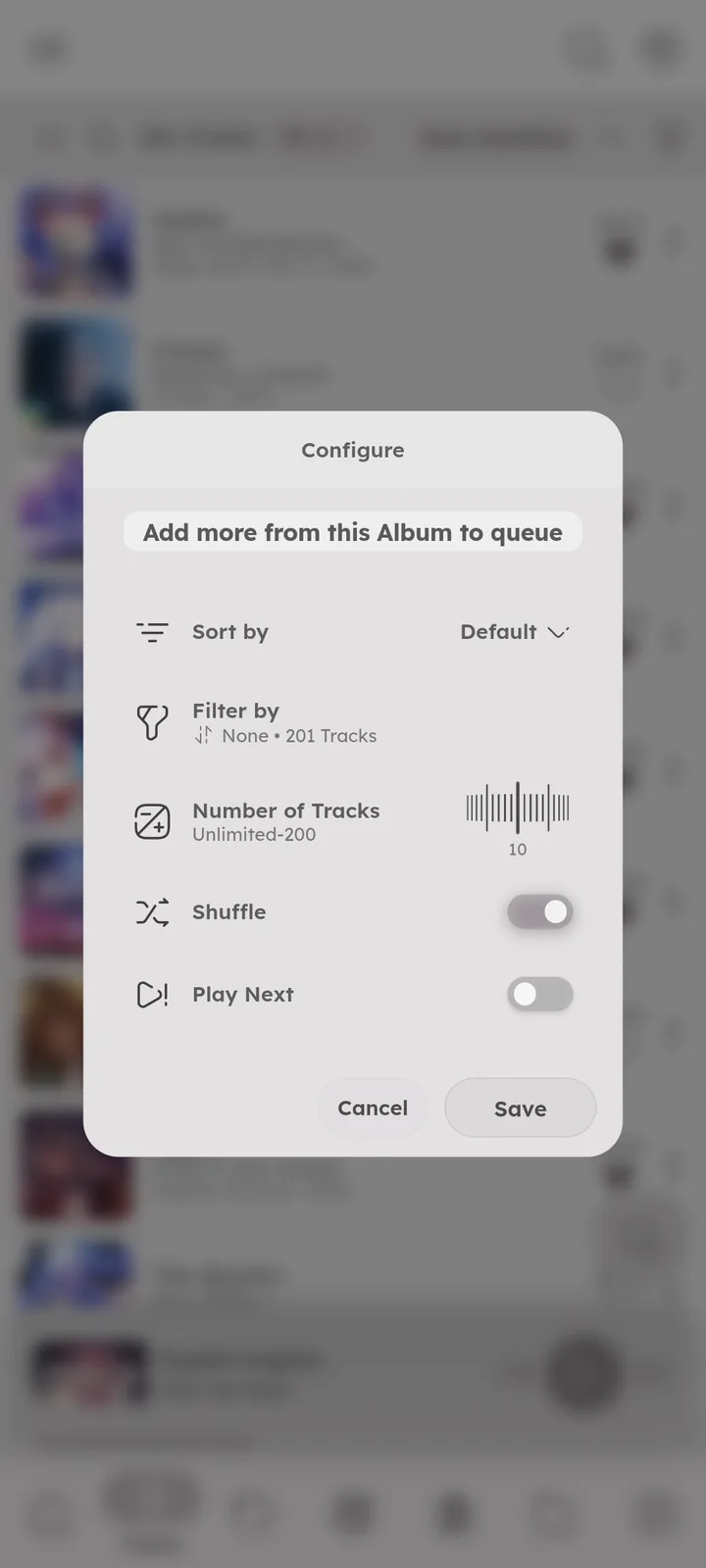
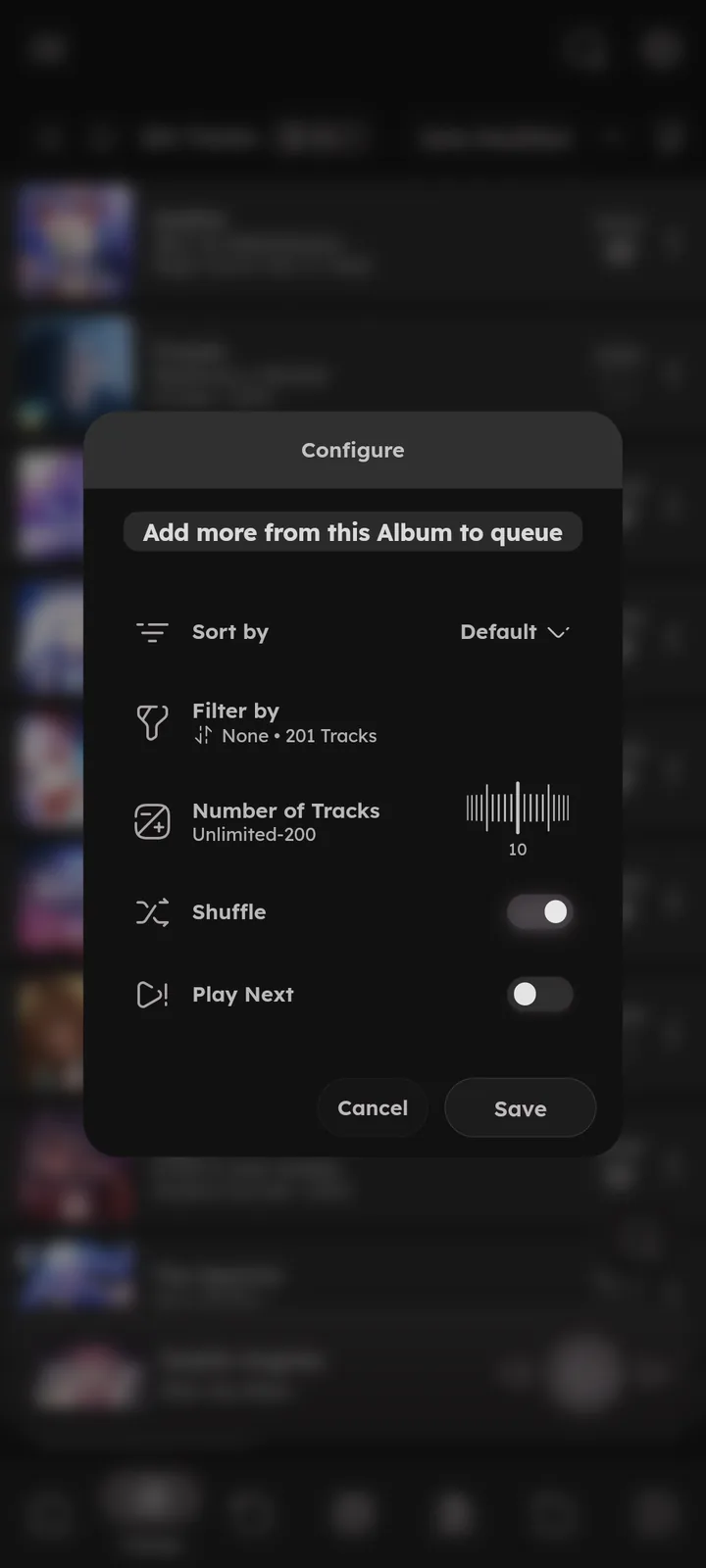
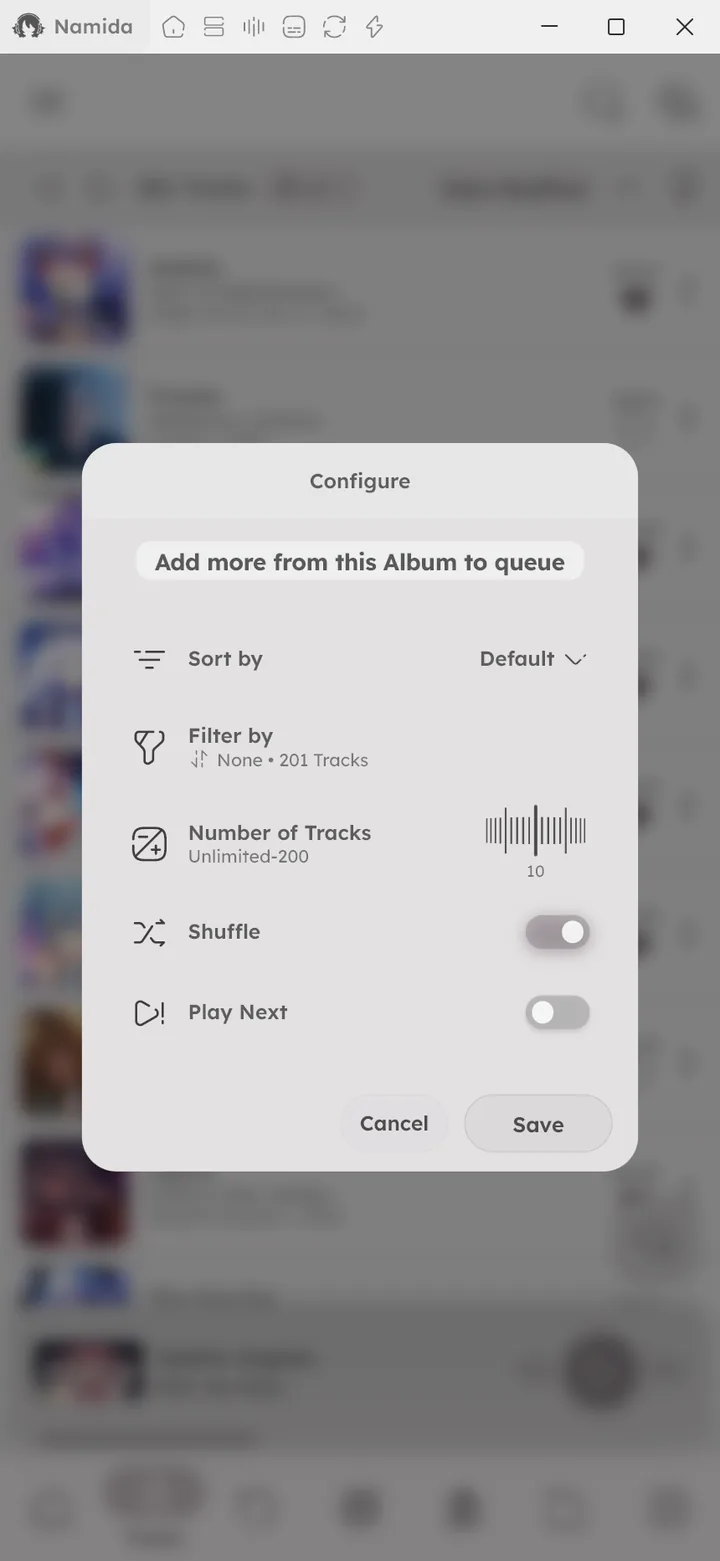
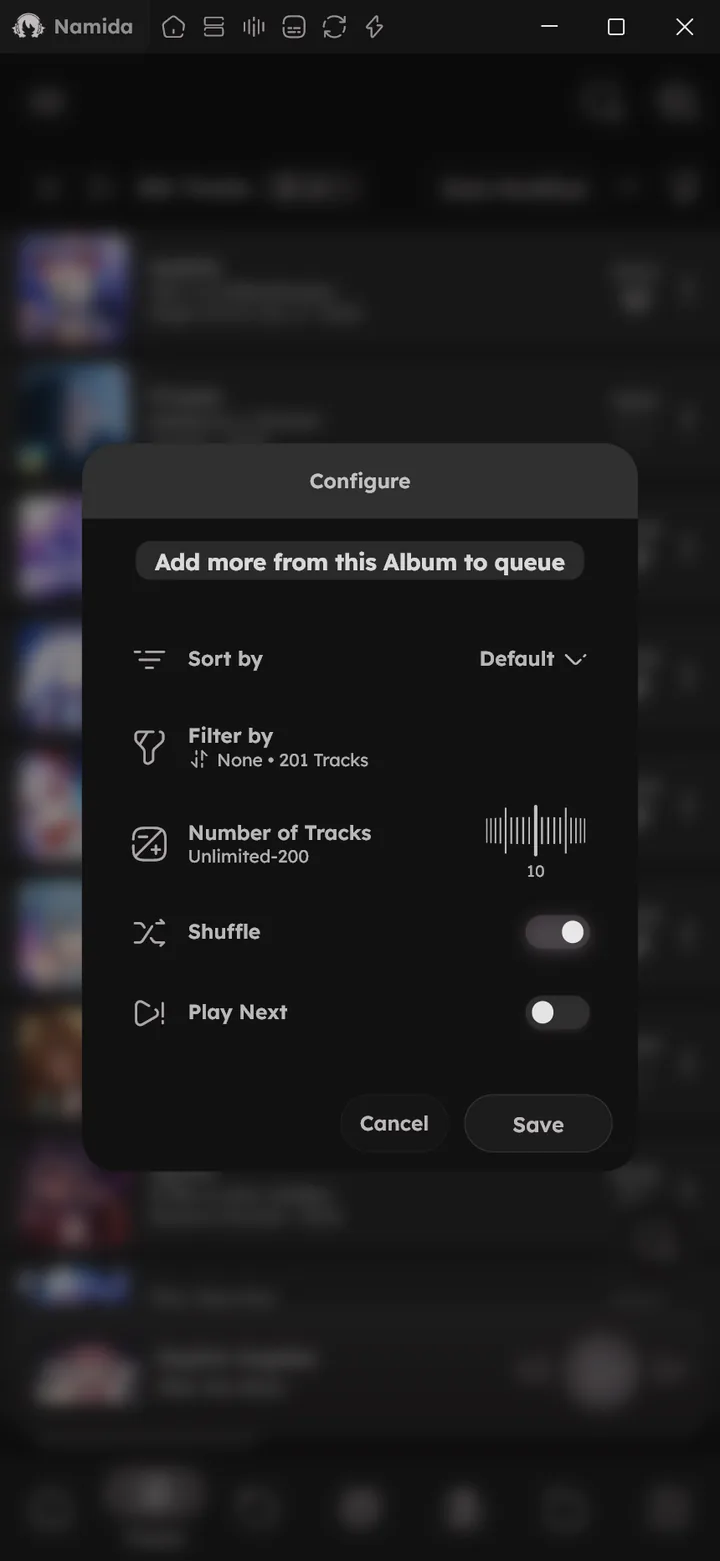
Long press any track for queue control: Play Next, Play Last, Play After latest inserted, repeat for N times, stop after this track, and adding more from the same album, artist or folder (long press its + to pick the sorting, filters and how many). See 📄 Tips & Tricks ↗ for the full list.
The menu also has an Advanced section for the heavier stuff (copying and moving files, setting a track as a ringtone, replacing listens and more). 📄 Advanced Dialog Tips ↗


Sleep Timer
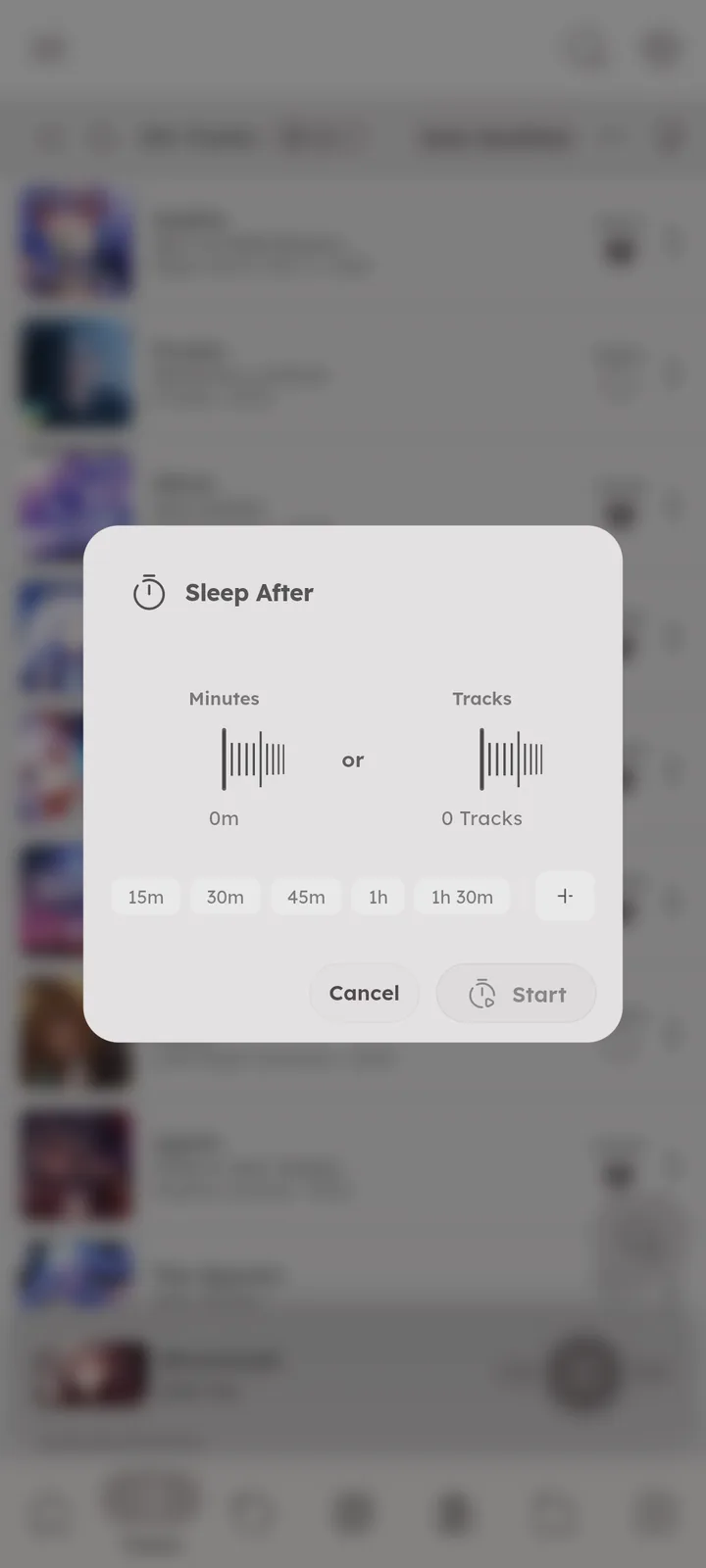
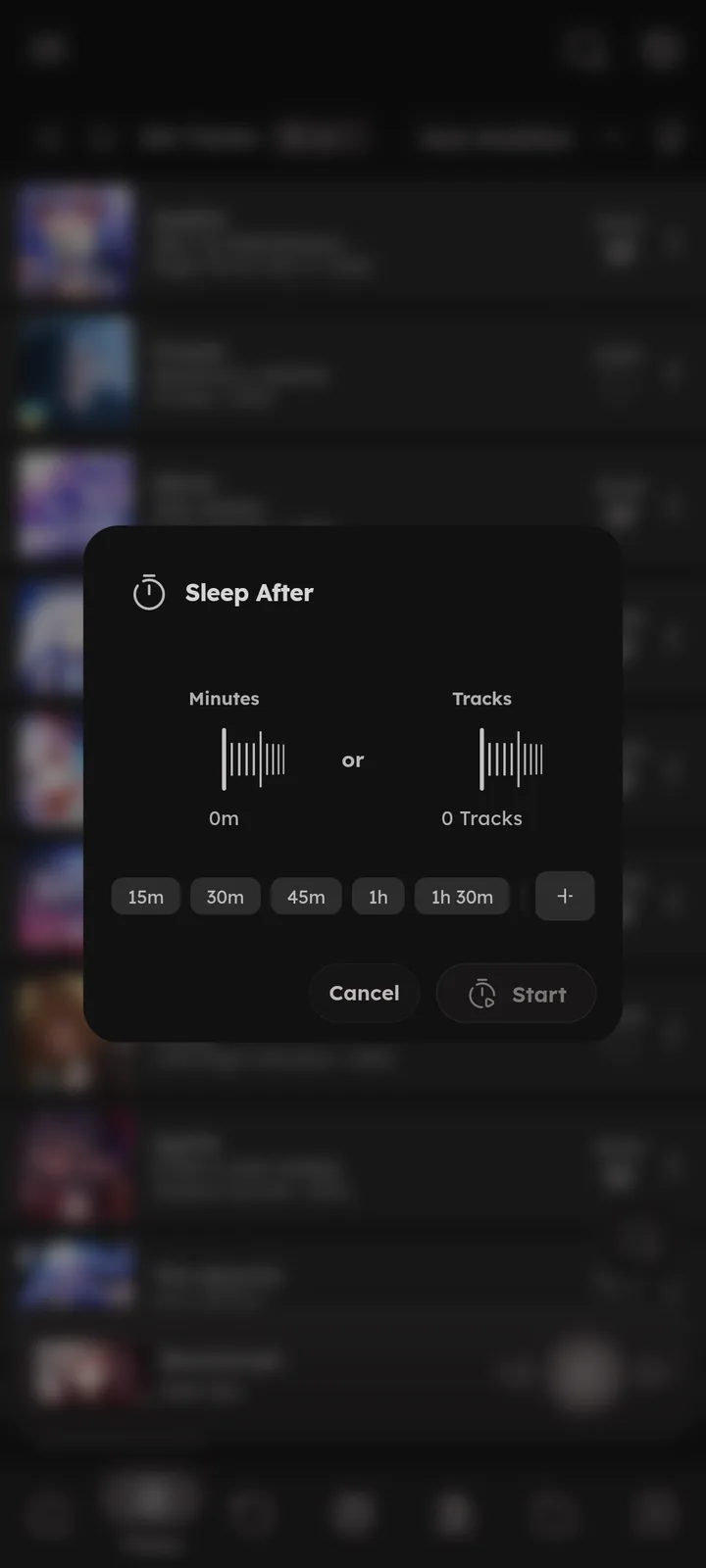
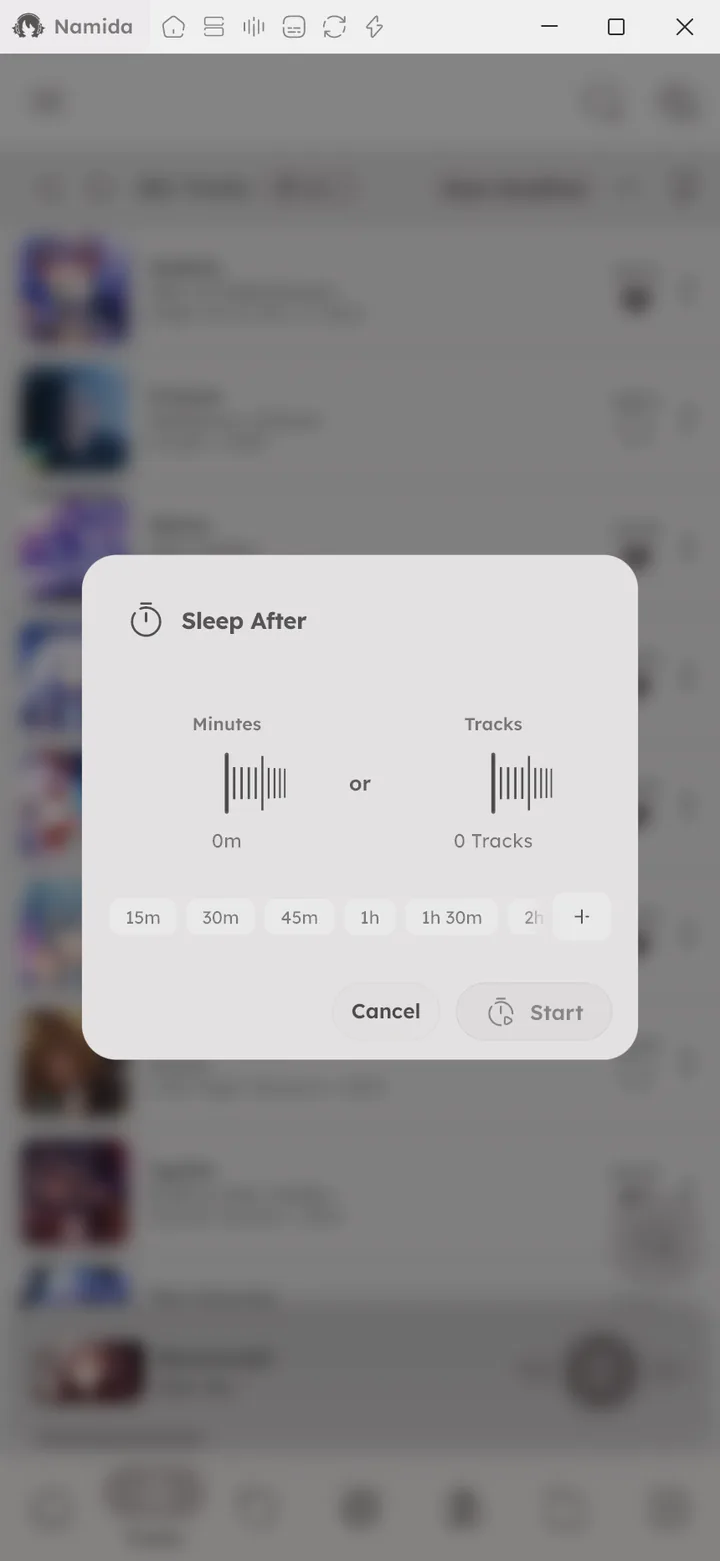
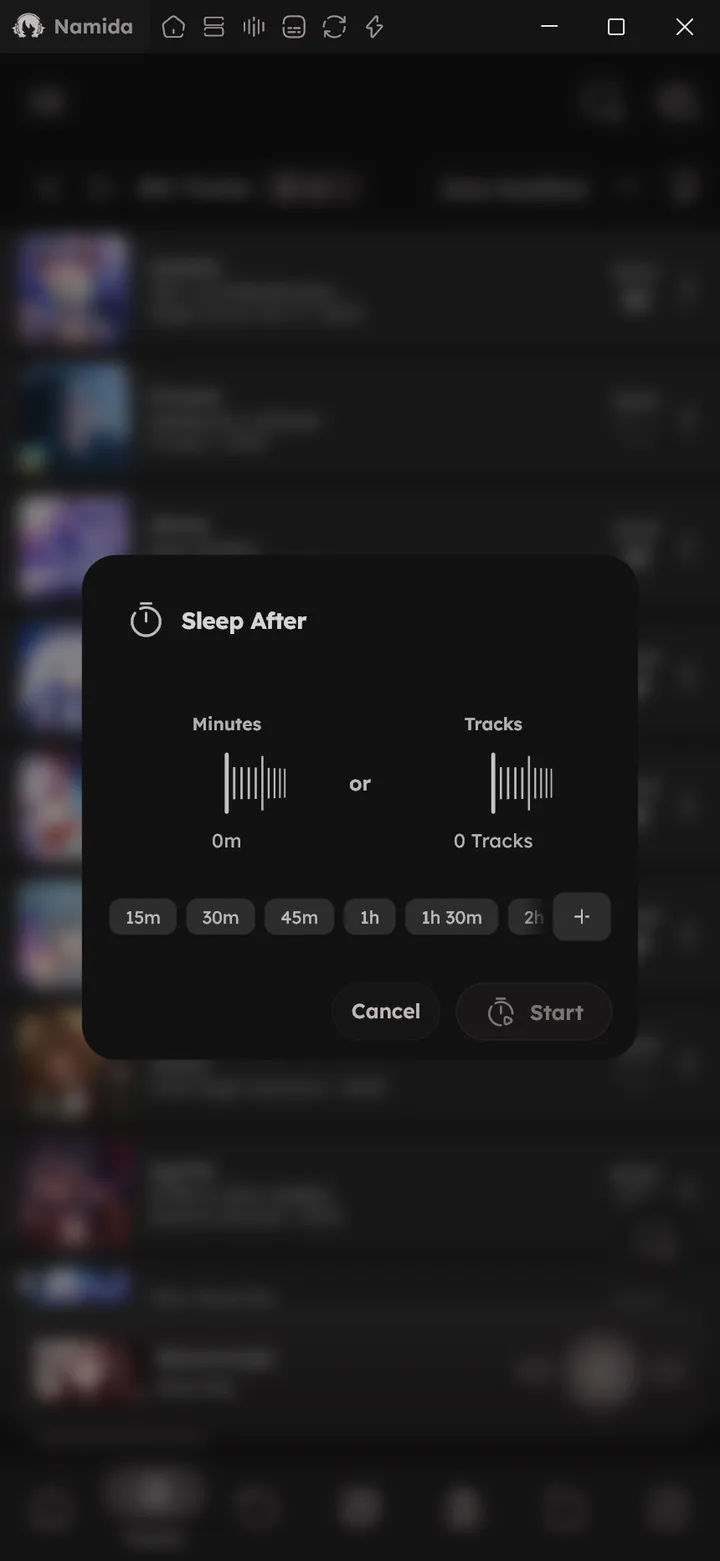
Stop playback after a number of tracks or minutes. Find it in the side menu, or in the quick tiles at the top of settings (where it also shows what’s left while it runs).
Presets set it in one tap, press + to add your own, or long press one to remove it. 🆕 v7.8.0
Waveform Seekbar
The seekbar is the actual waveform of the track. ⚙️ Configure Waveform Bars ↗
Bookmarks
🆕 v8.2.0
Mark spots in a track or video to come back to them.
- Add one by long pressing the seekbar, from the notification button, an artwork gesture action, or with
Ctrl+B. - They show as ticks on the seekbar, tap near one to jump there. Long press a tick to see all of them.
- Track info and the track menu list them too, with rename and remove.


Chapters
🆕 v8.2.0
Local tracks and videos with embedded chapters show them (existing files need a re-index).
- Gaps on the seekbar mark them, tap near one to jump there.
- The current chapter shows beside the audio/video info in the player, tap it for the full list. Track info and the track menu list them too.
- Skip between them with the notification buttons,
Shift+←/→, or the next/previous buttons with Next/Previous jump between chapters. - YouTube downloads keep their chapters.
Related Settings
- ⚙️ Playback Settings
- ⚙️ Playback, Sound Control
- ⚙️ Extras, Lyrics
- ⚙️ Customizations, Miniplayer
- 🎉 Subtitles feature
- Features
- SubtitlesWhere They Come From
- Smart PlaylistsEasy
- Lyrics EditorOpening the Editor
- Listening PartyThe Queue
- Home Screen WidgetControls
- System IntegrationQuick Settings Tile
- ShortcutsPlayback, Zoom
- LibraryQueue
- SettingsQuick Tiles
- PlaybackSound Control, Crossfade, Fade Effect on Play/Pause, Next/Previous Jump Between Chapters
- ExtrasLyrics
- AdvancedFlags
- WelcomeQuickstart, Philosophy
- What's New🏷️ v8.2.0, 🏷️ v7.8.0, 🏷️ v7.5.0, 🏷️ v7.4.0, 🏷️ v7.1.0, 🏷️ v7.0.0
- Tips & TricksPlayer, Desktop
- FAQCan I change the lyrics source?, Can I use my AutoEq or Equalizer APO settings?, Android asks for USB DAC access every time I plug it in
- MembershipFree for Everyone
- PermissionsRequested When Needed
- Subtitles
- Lyrics EditorSaving
- YouTubeVideo View
- Listening PartyThe Queue
- Effects & Visualizers
- ShortcutsZoom
- PlaybackEnable Video Playback, Dismissible Miniplayer, Sound Control, Normalize Audio, Crossfade, On Interruption, Jump to First Track After Finishing Queue, Next/Previous Jump Between Chapters, Seek Duration
- CustomizationsTrack Tile Customization, Miniplayer Customization
- ExtrasRomanization, Lyrics, Lyrics Save Location, Flags
- AdvancedFlags
- Medium GuidesLink a YouTube video to a track, Link a local video to a track
- Tips & TricksTrack Menu, Advanced Dialog
- FAQAndroid asks for USB DAC access every time I plug it in
- MembershipWhat It Unlocks, Eggs
Author: @MSOB7YY
Writer: @claude
